Project
This app was a project for my Google UX Design Certification course.
The Goal
Challenge: Dada is the most egalitarian art form in modern times. Yet, it is mostly-unknown, misunderstood, and mocked. The Dada Anti-Museum wishes to change this.
Solution: Create a mobile app which will offer information about Dada, easy ticket and merchandise sales, spark users' creativity, and create the beginnings of an off- and online Dada community.
Graphic Design
The deeper I found myself in the project, the more I felt the need to flesh out the persona of the Dada Anti-Museum. I had spent time creating user personas, yet I didn't have a persona for the museum itself. The app begins the "drama", being the first character the user encounters. If I didn't understand the character of the museum, how could I design it?
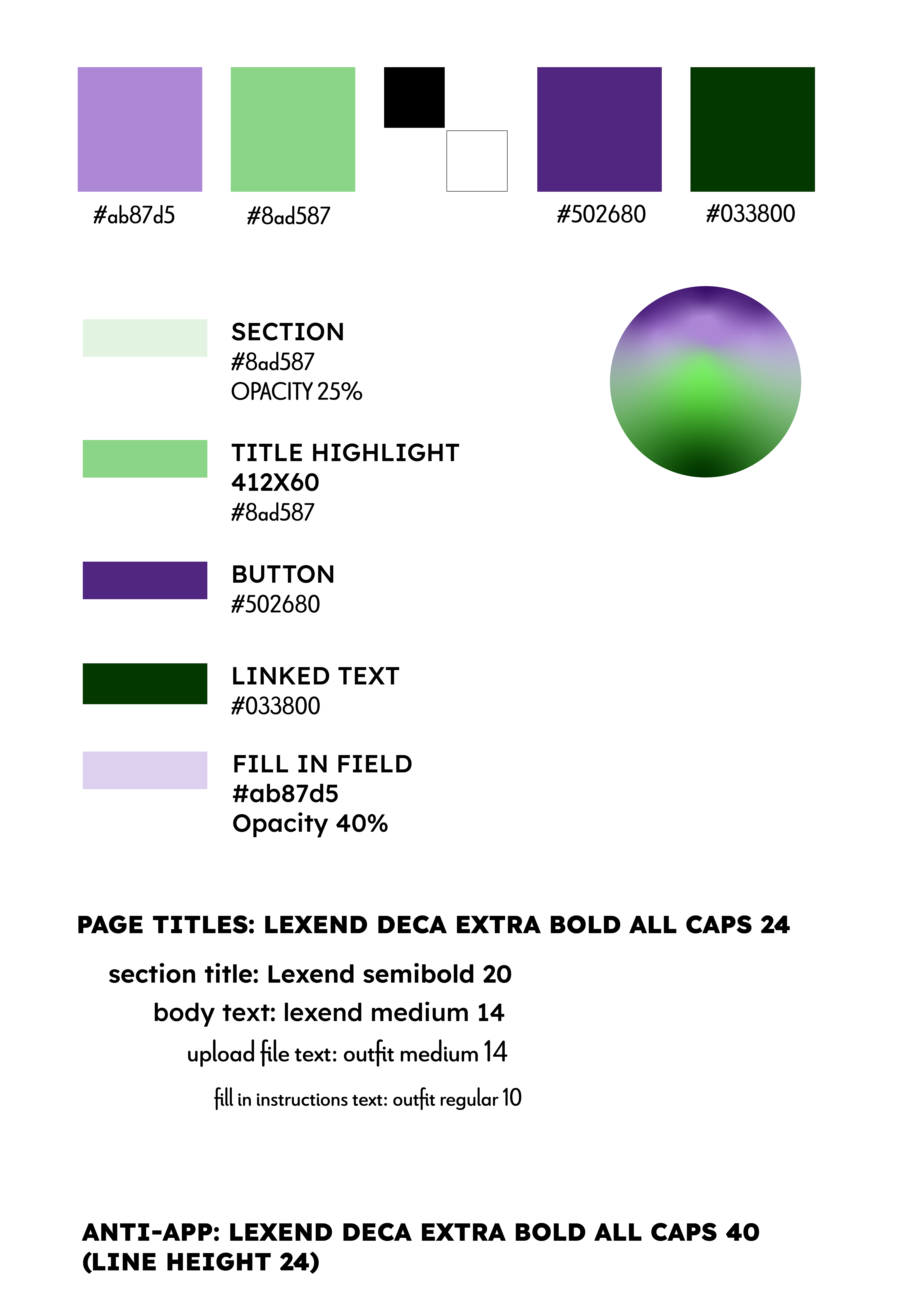
Basic graphic design elements
Header
Merchandise logo
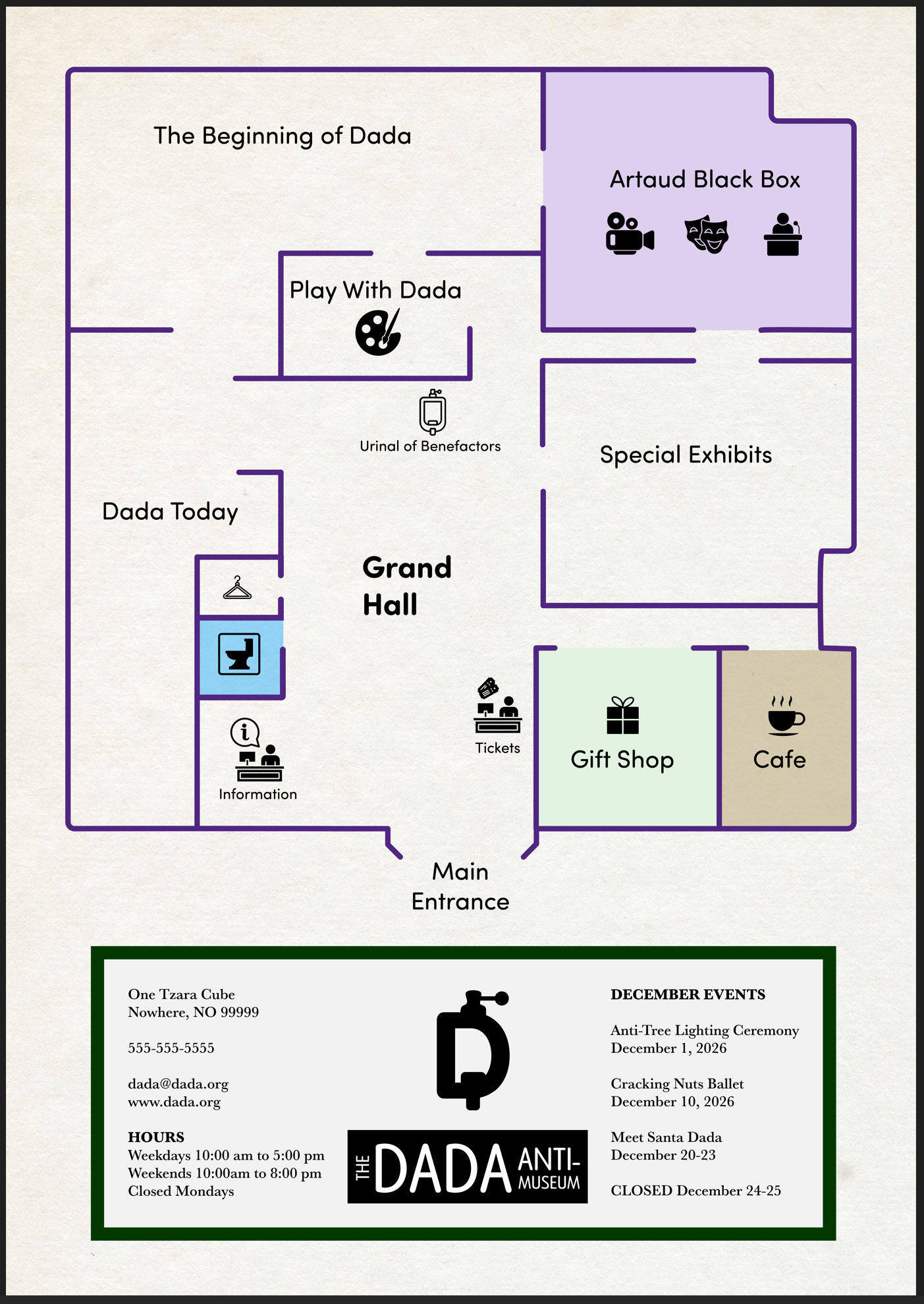
Map of the museum.
I filled in the museum details using Gemini and Chat GPT. I created fictional artists, tour guides, a performance arts company, an Anti-Cafe, and art exhibits.
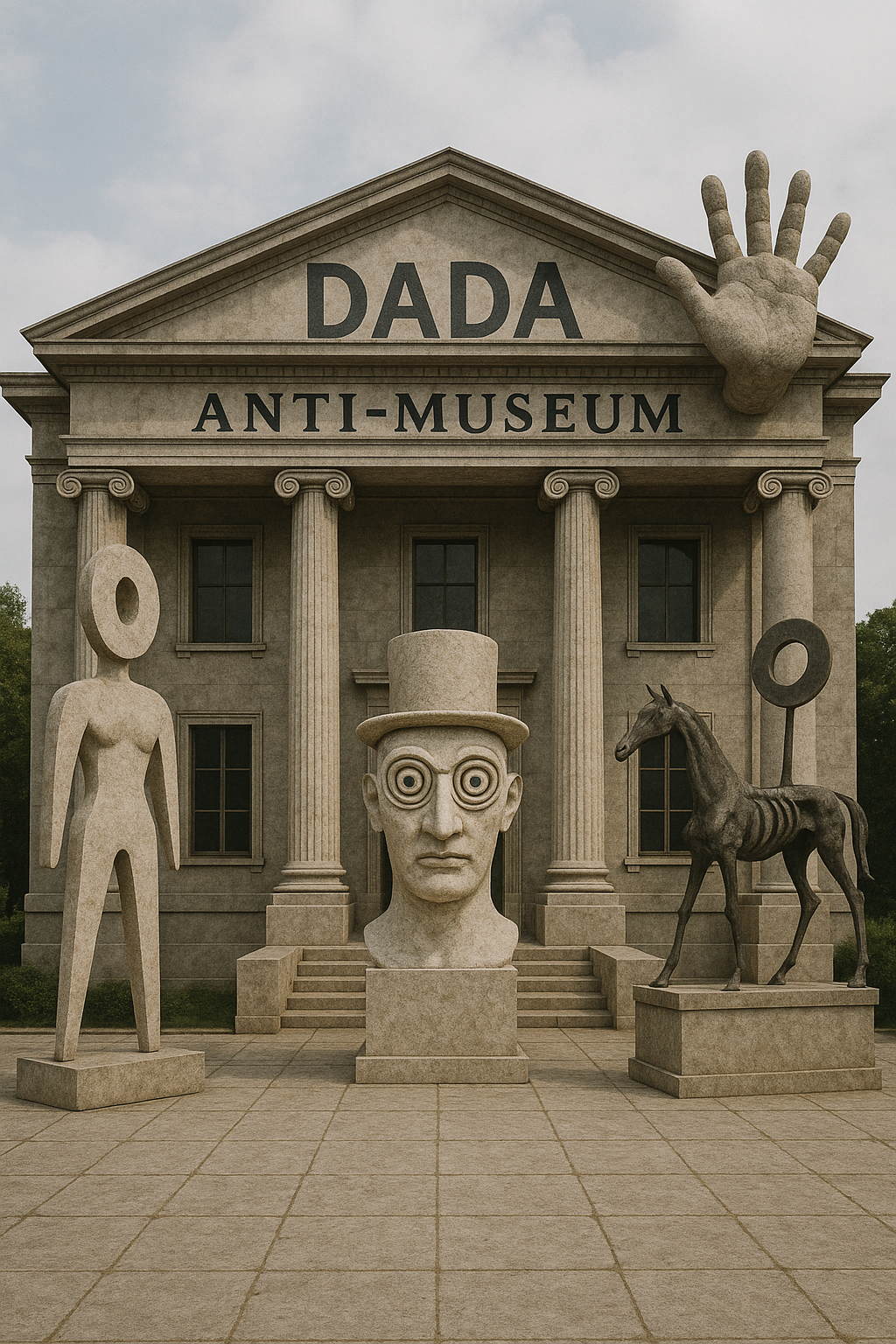
Outside view of the Dada Anti-Museum.
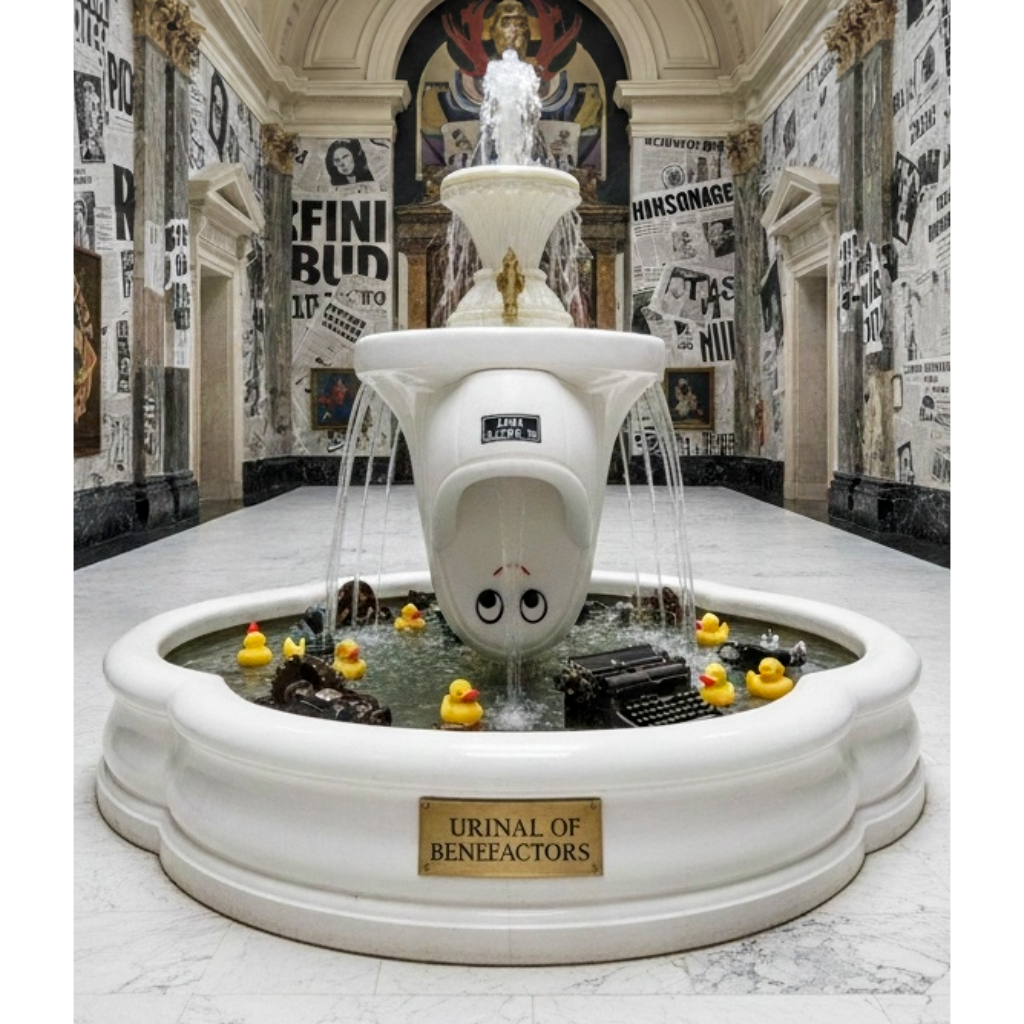
The Urinal of Benefactors, in the museum's grand hall.
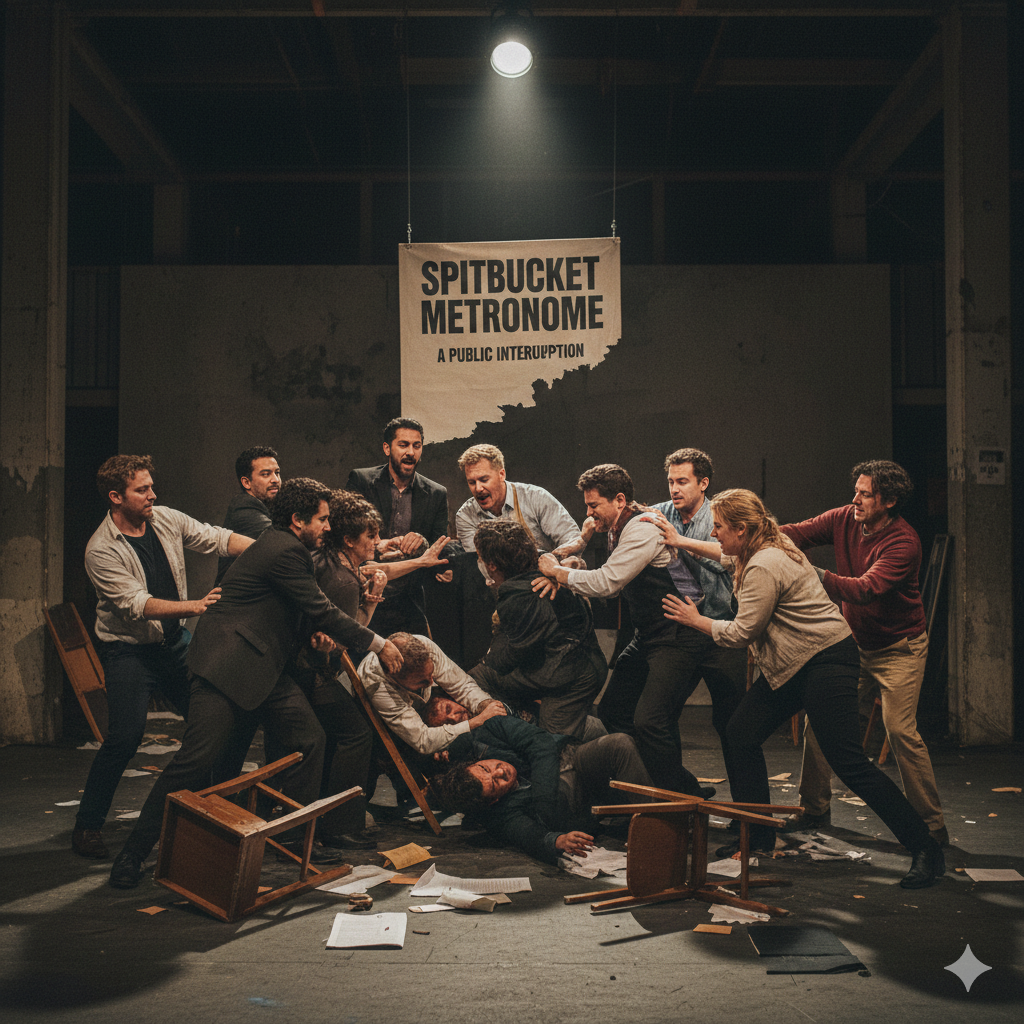
Spitbucket MetroGnome, a fictional performance art company currently artists-in-residence at the Dada Anti-Museum.
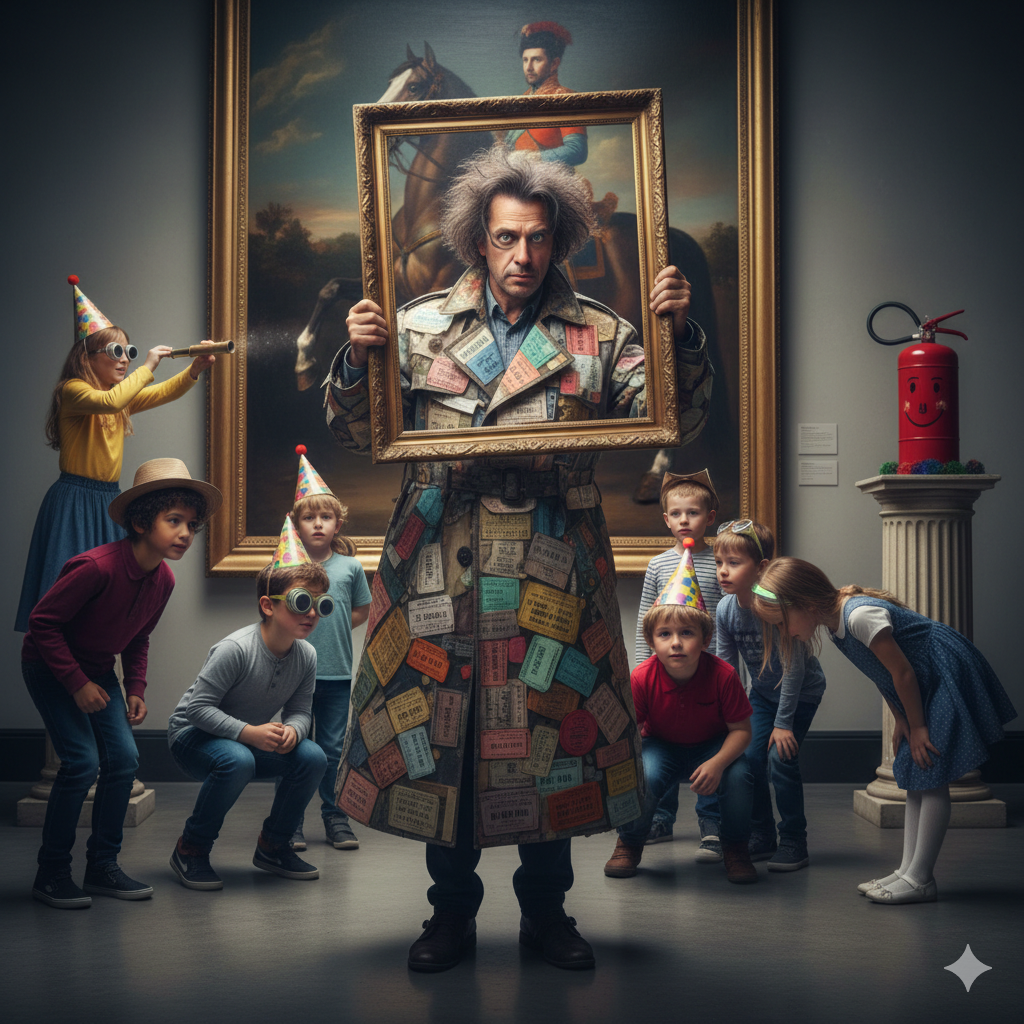
Fictional children's tour guide, Dr. Arlo Glass-Eye.
Initial Research
CHALLENGES: Working on my own, finding potential users to interview proved difficult. I asked several friends who fit the demographics about art in general, Dada, and museums.
RESEARCH CONDUCTED: Research involved speaking to potential users who have little to no knowledge of Dada, and those who have had formal education in art. I also produced a competitive audit of other museum apps, or apps involved in ticket selling for museum exhibits. I also extensively researched Dada, it's history, philosophy, and major artists.
RESULTS: I had assumed that even educated users would have working knowledge of Dada. In fact, no one did.
COMPETITIVE AUDIT REPORT: Museum apps have consistent patterns. All of them offer information about the art on display. They have large, richly colored images. The color palettes are black and white with simple sans serif fonts. This makes the app move into the background and present no conflicts with the colors of the artworks.
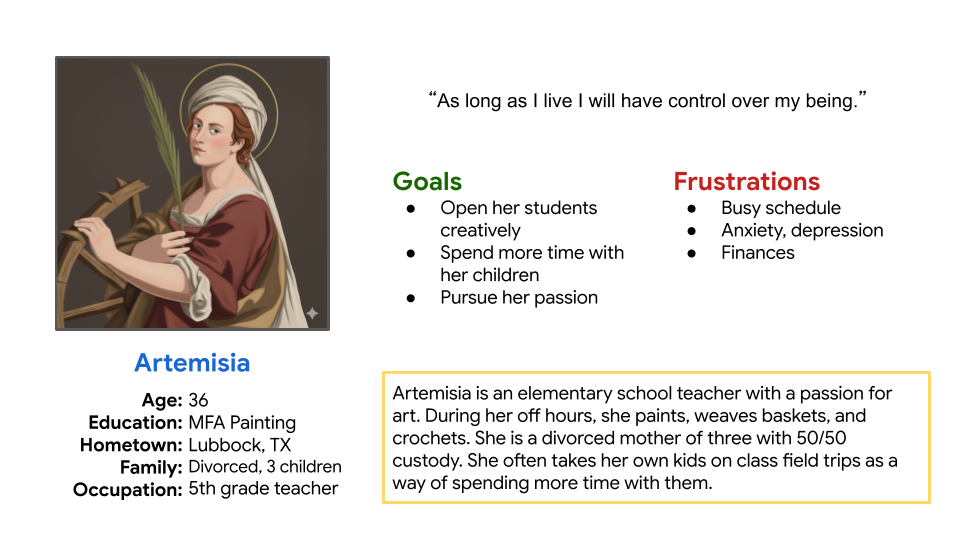
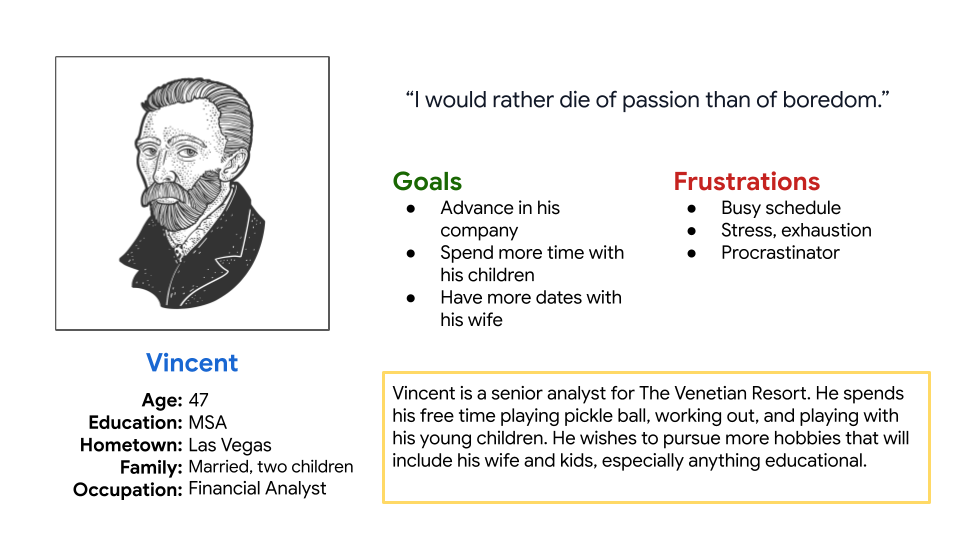
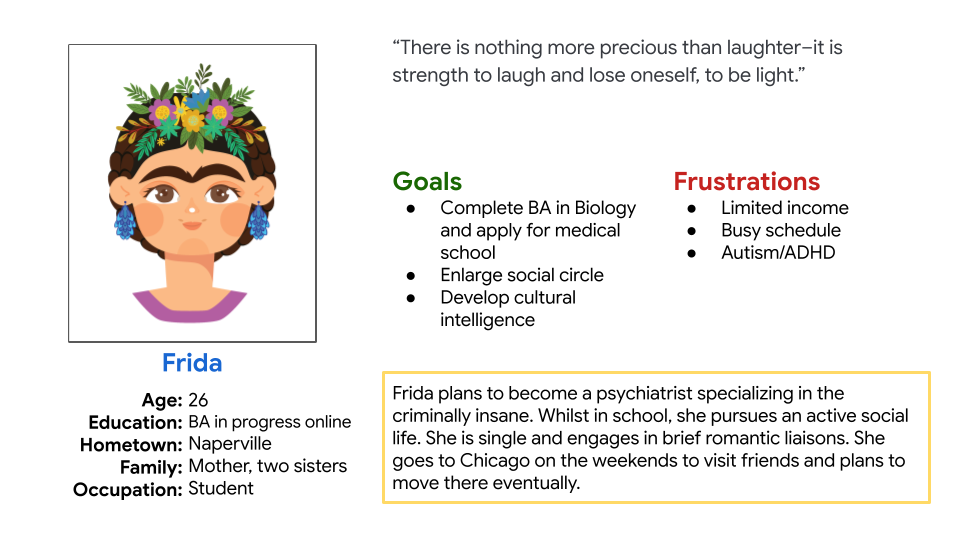
The Users
Married/single/divorced
middle to upper middle class income
children
college educated
professionals/students
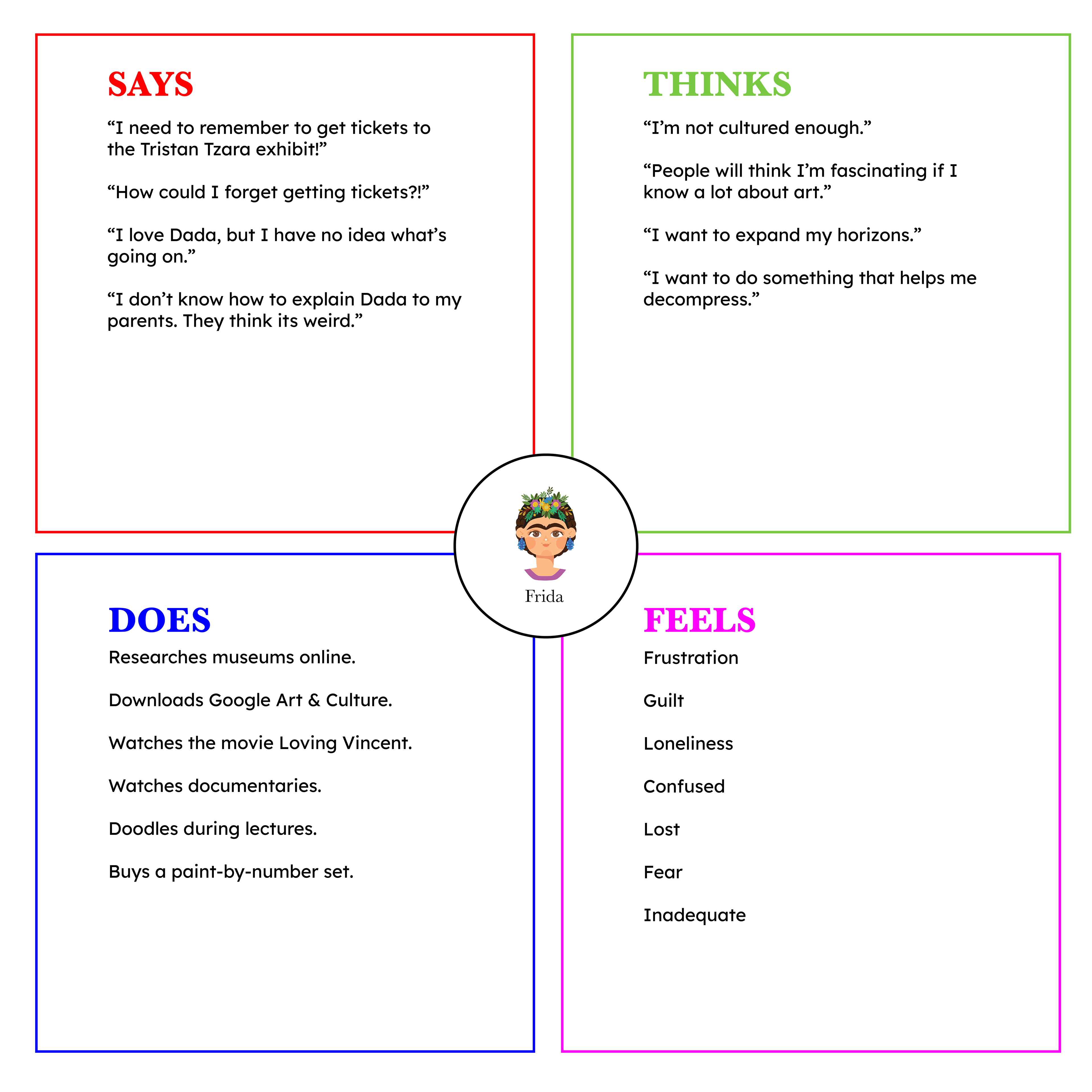
Design Process
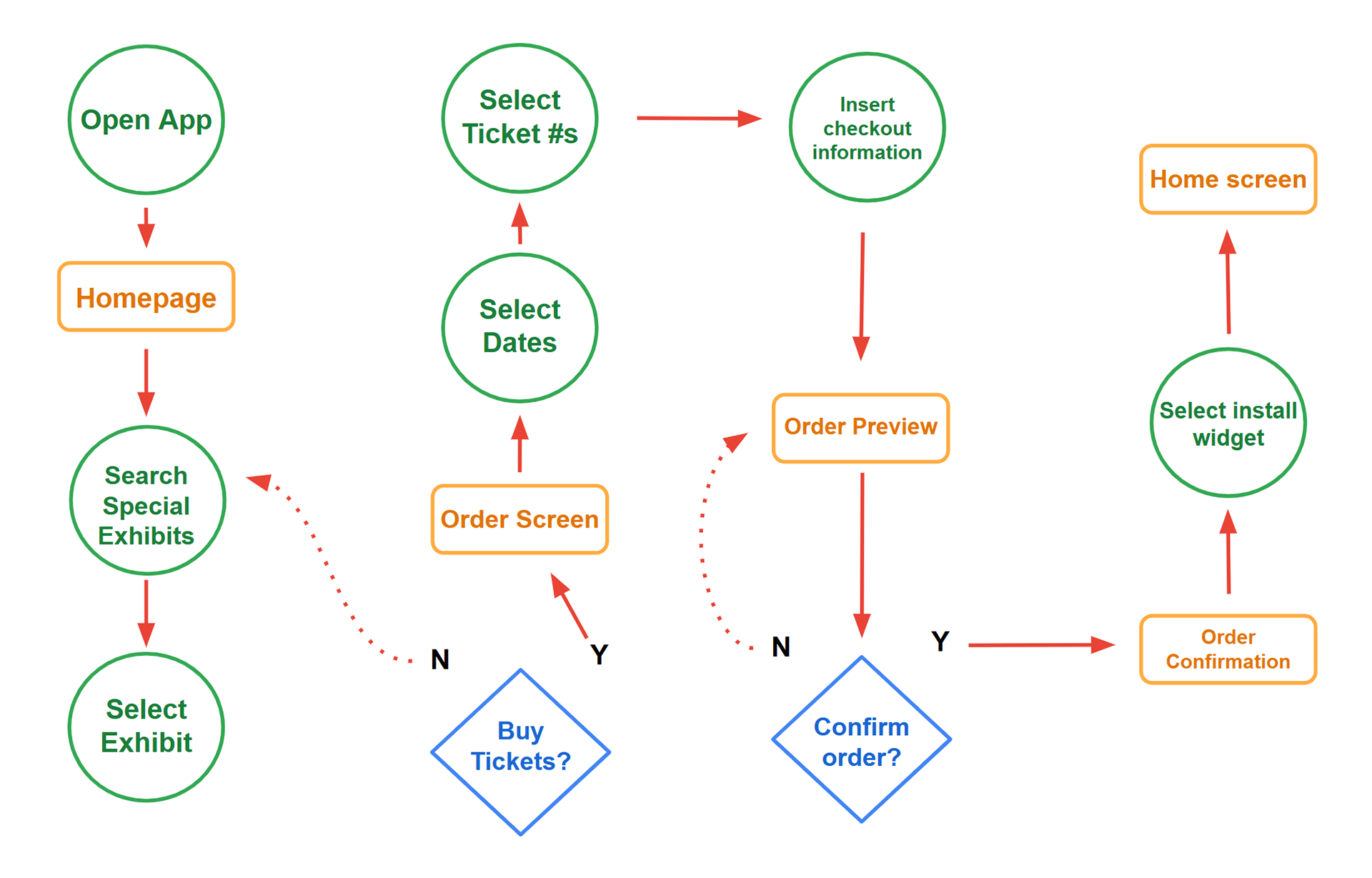
USER TASK: Our museum app will allow users to purchase tickets for special exhibits.
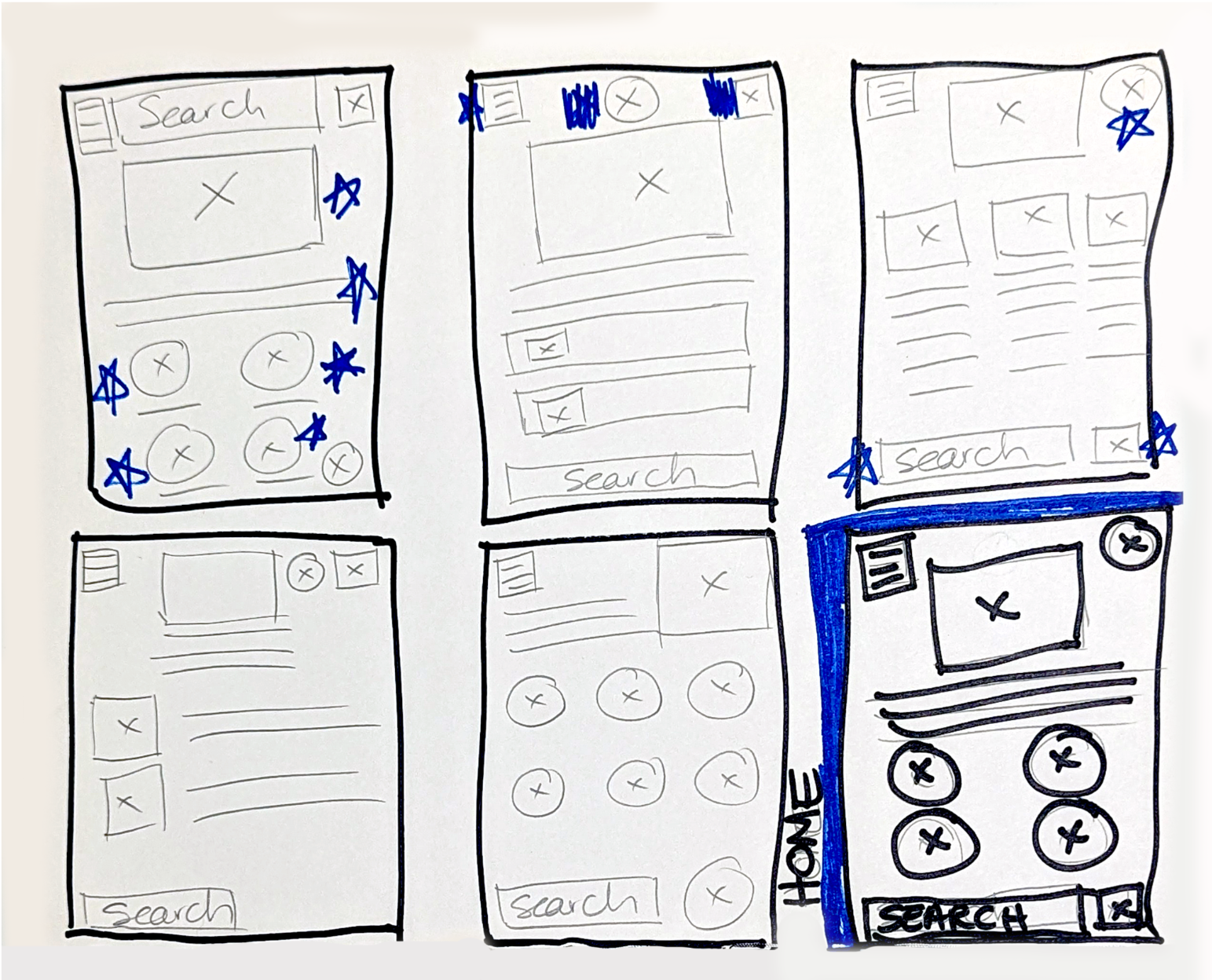
PAPER WIREFRAMES: My first priority was to find the easiest and clearest way to begin the user’s journey. Having no experience at this point in UX design, I used apps I frequented as models, picking elements I felt might work.
I discovered quickly that certain elements, such as the hamburger menu and other icons, quickly assumed constant places in the design.
My final collection of elements was, I felt, the easiest to navigate. My initial plan was for the home screen to be no longer than the device's dimensions: no scrolling.
Storyboards
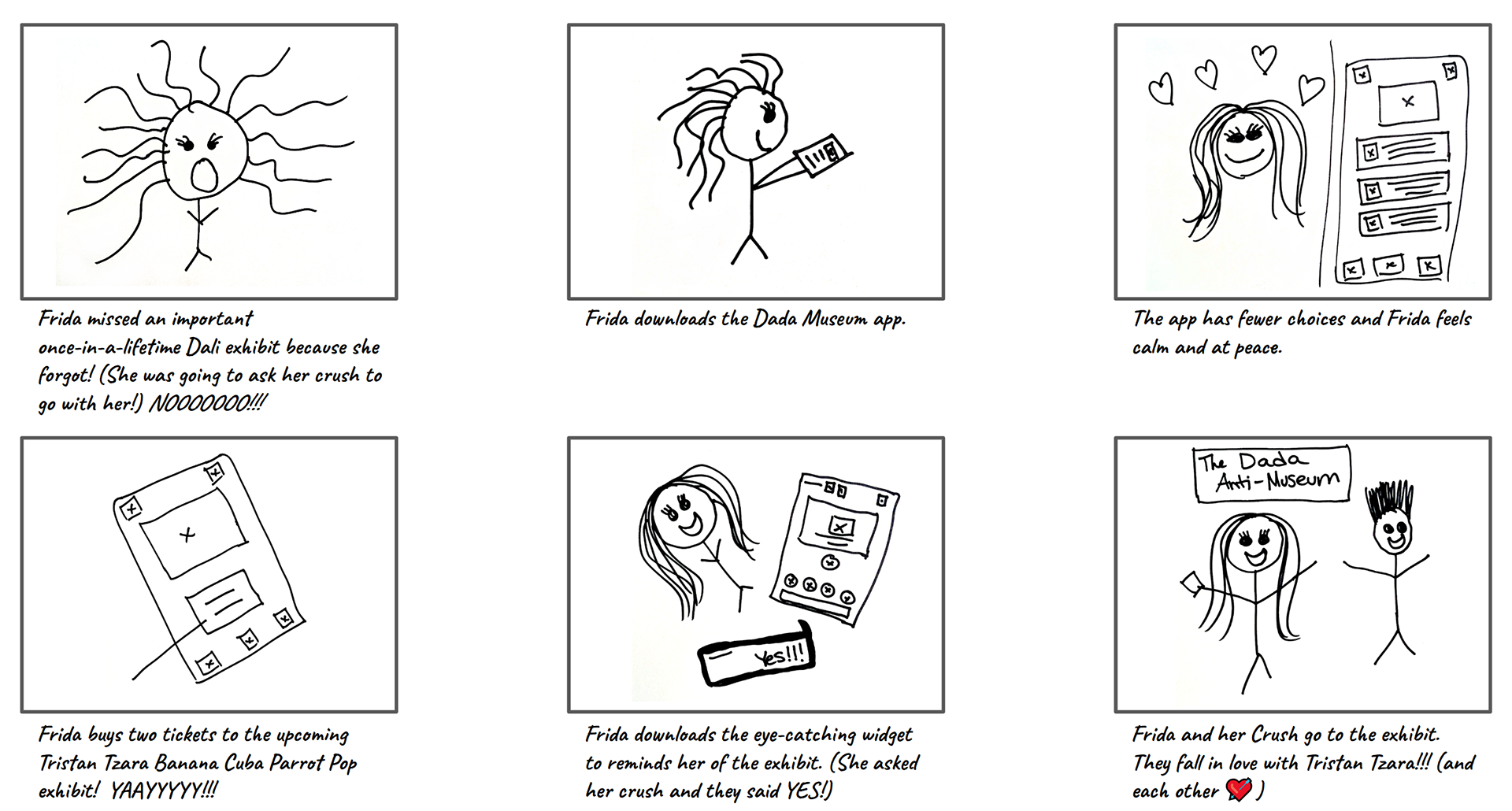
STORYBOARD (BIG PICTURE): User the Dada Anti-Museum app to purchase tickets to a special, popular exhibit and get a reminder widget---big picture.
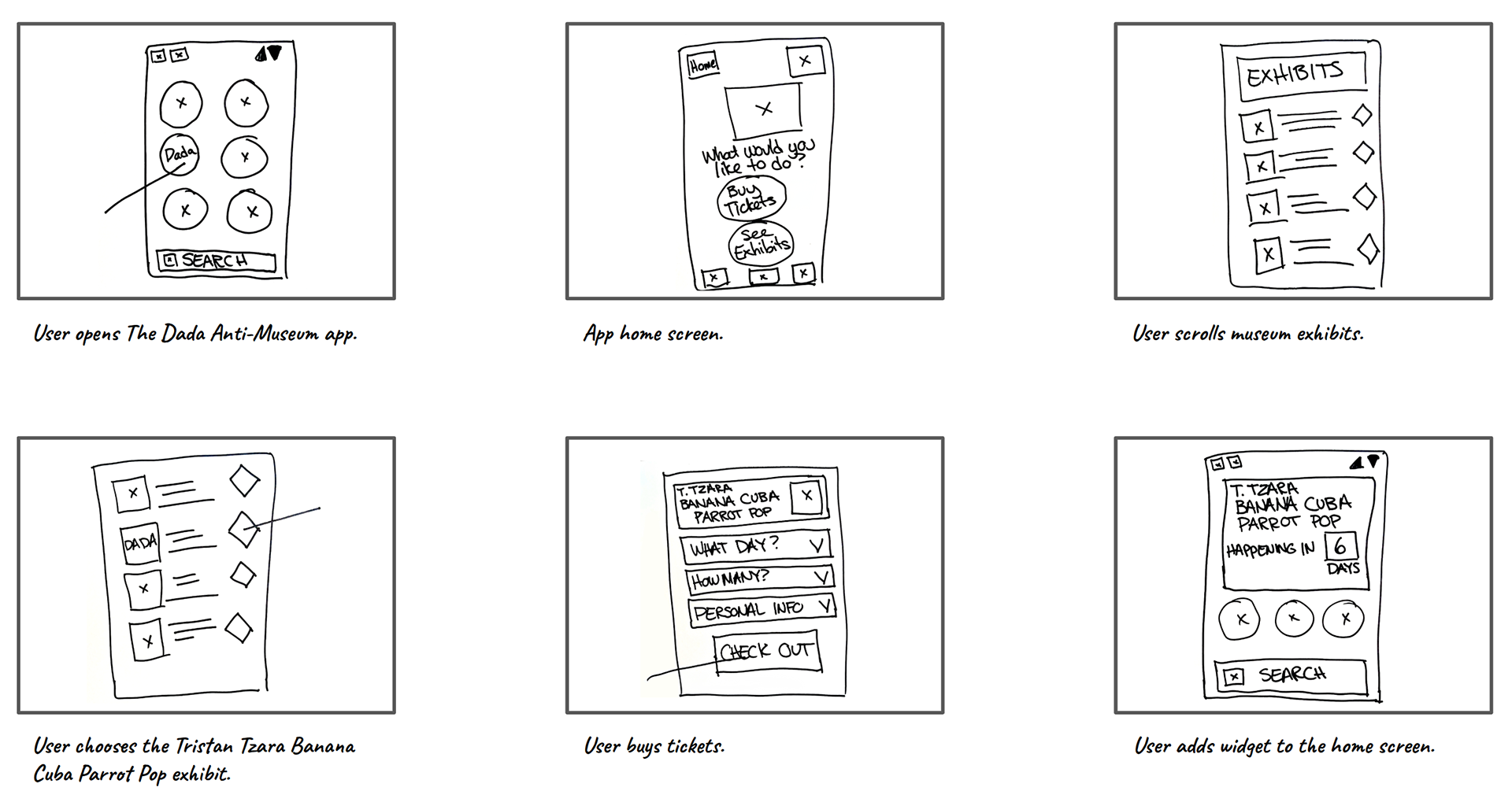
STORYBOARD (CLOSE UP): User the Dada Anti-Museum app to purchase tickets to a special, popular exhibit and get a reminder widget.
Digital Wireframes
I was amazed by how quickly my design changed. Though digital wireframes use lines instead of actual text, I couldn't work without the actual language. I became instantly confused by the lines. This is something that happened in each phase of my design process: I would add more detailed elements than needed to aid my vision of the design.
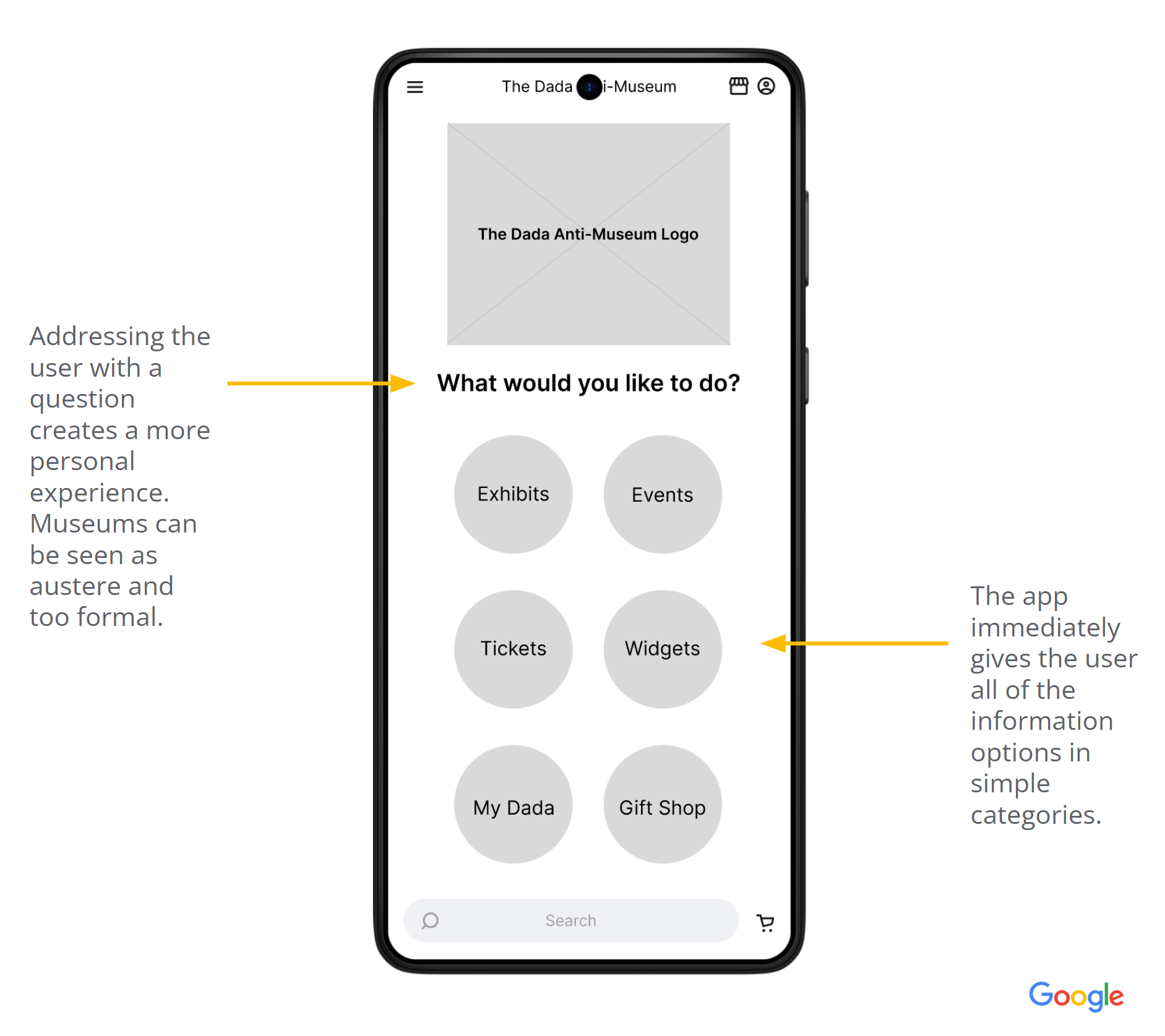
Home screen
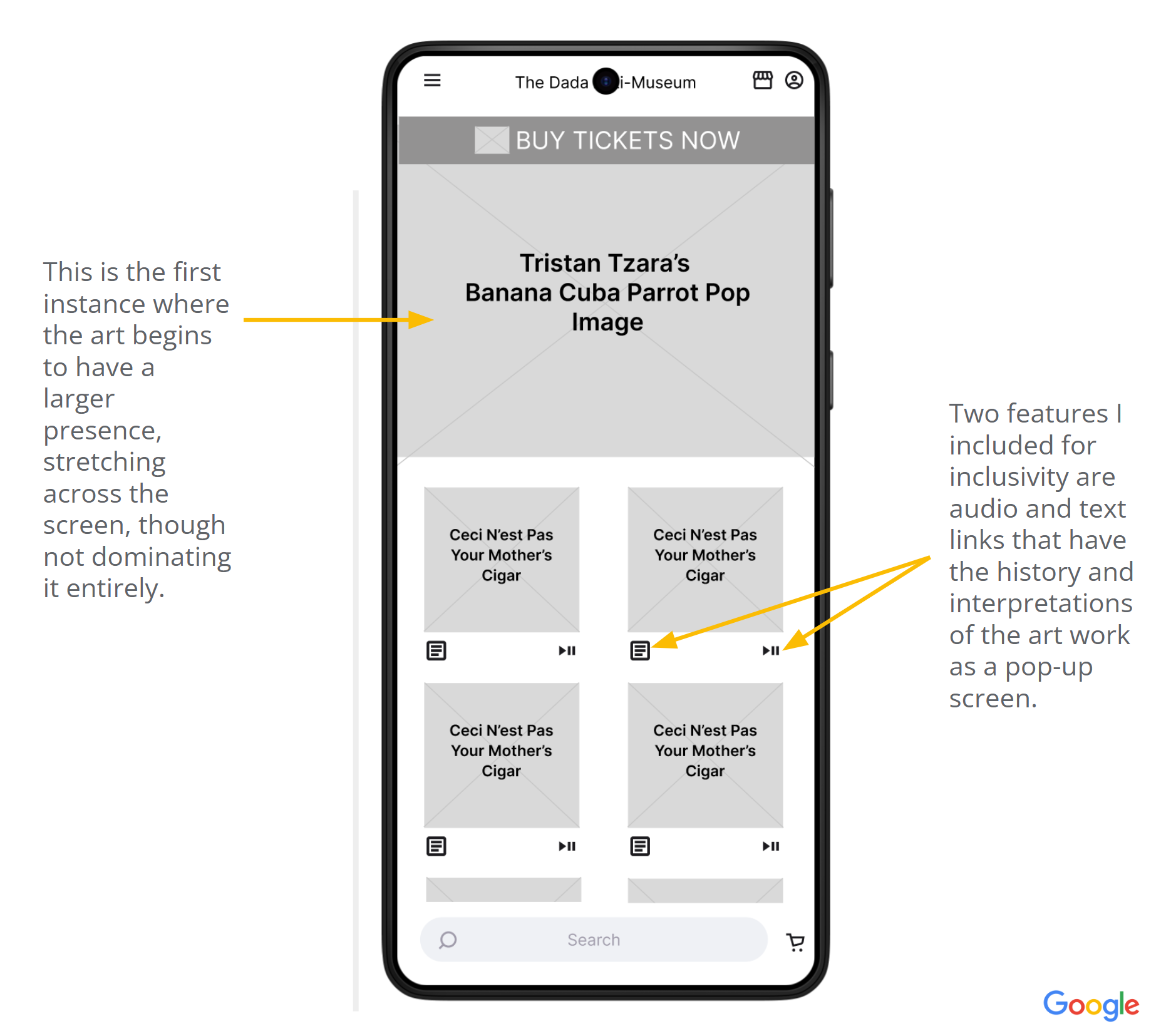
Special exhibits
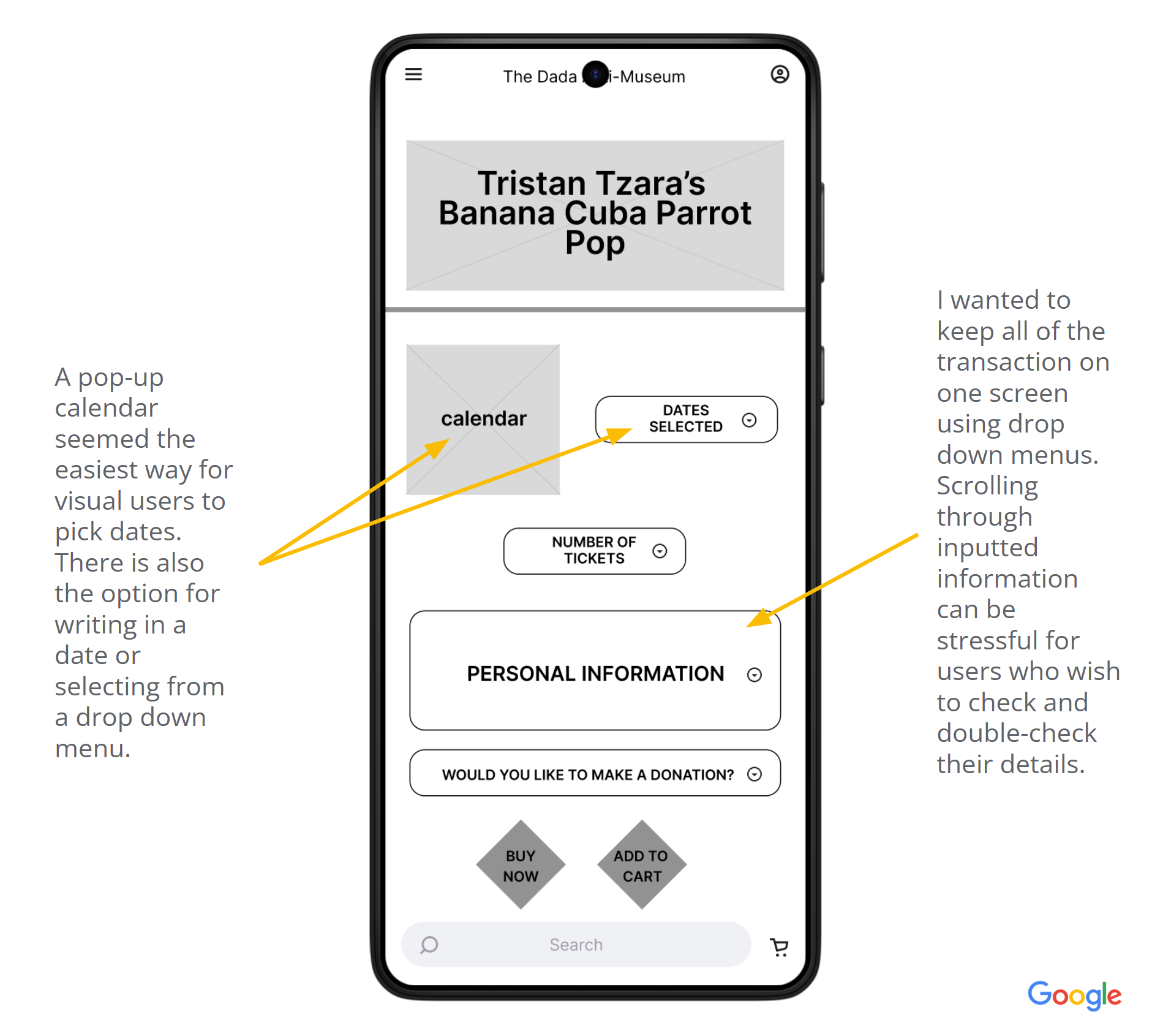
Ticket purchasing screen
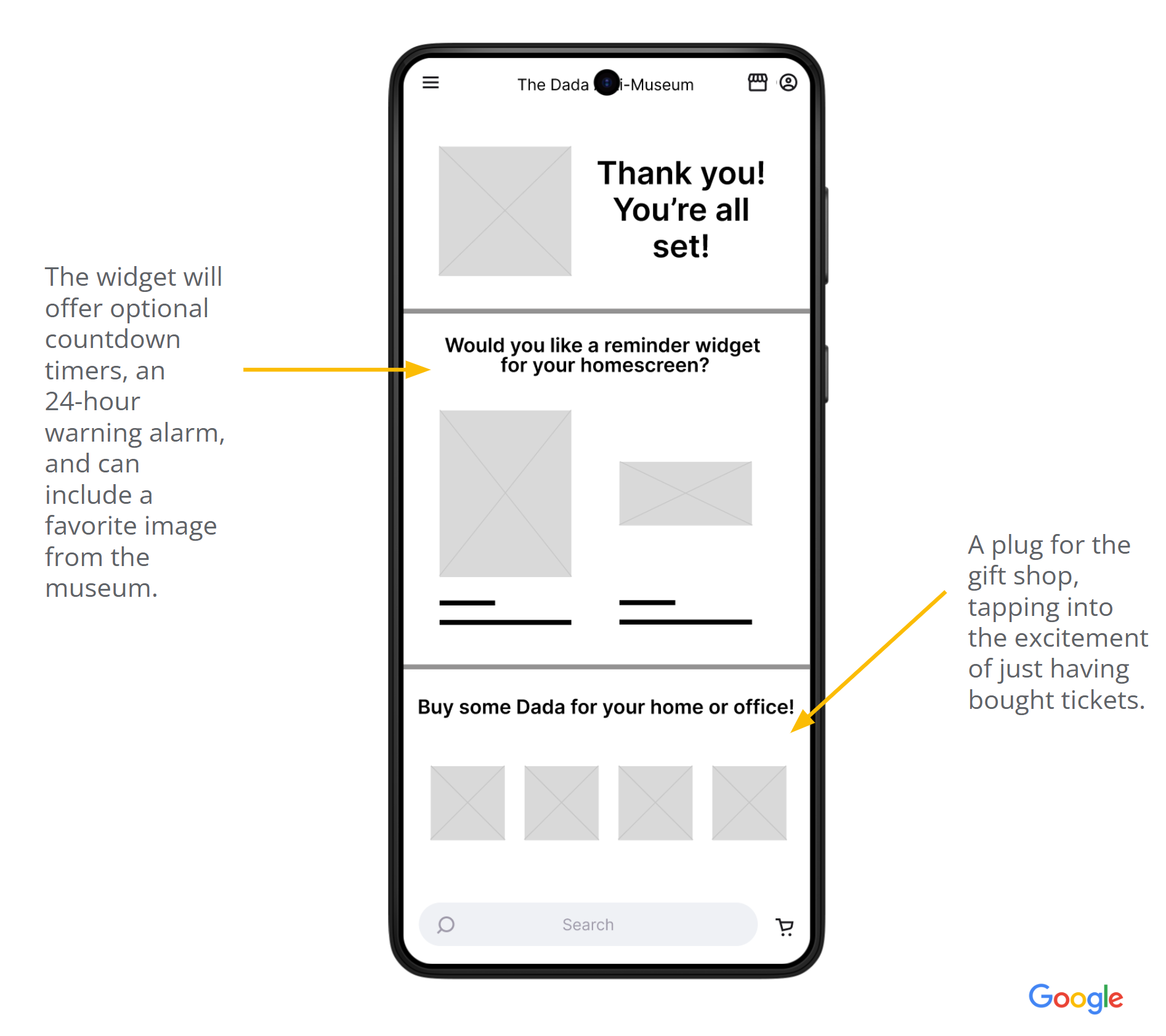
Final confirmation/widget screen.
Lo-Fi Prototype
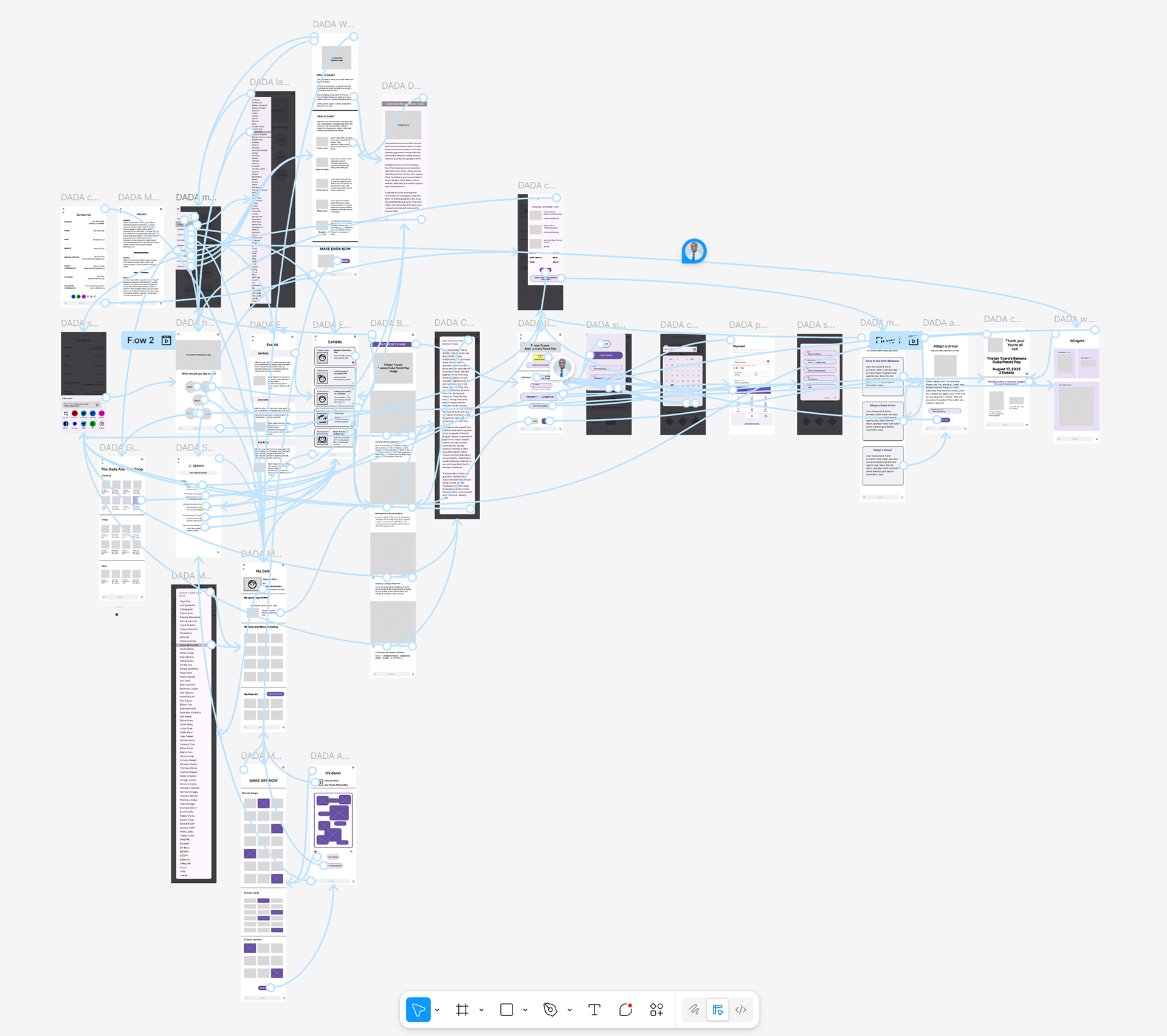
The prototype follows the progress a user would take to purchase tickets and receive an optional widget. I filled out the app by including a profile, art construction, and gift shop pages, among others.
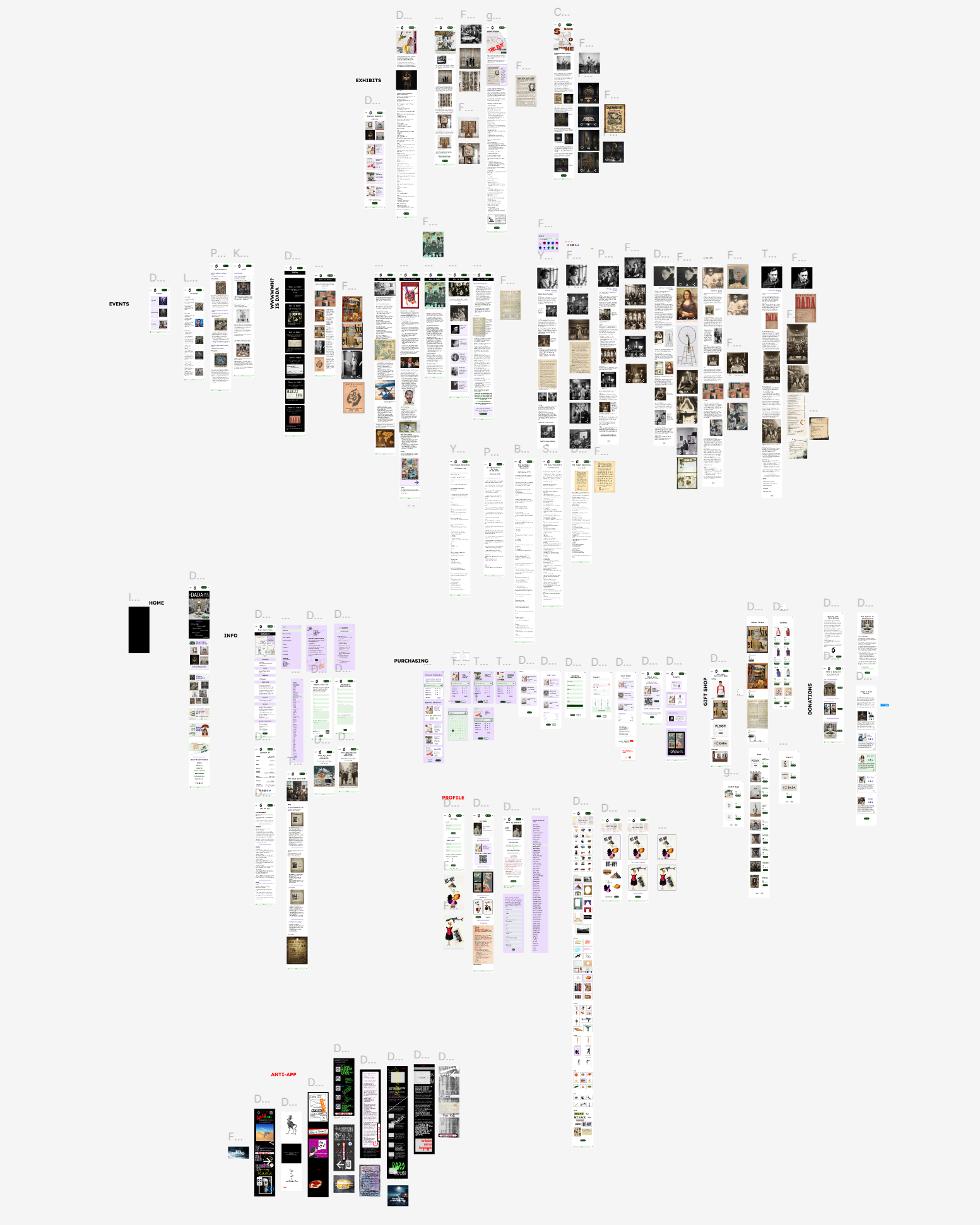
Hi-Fi Prototype
The lo-fi prototype swelled with new paths, such as the Anti-App, writing a manifesto, a user gallery, a more elaborate gift shop, additional Dada history, a large selection of events, and many more images. At this point, the app had become its own museum.
User Testing
There were two phases of user testing.
The first study was a moderated user study with the lo-fi prototype with five participants, occurring in a Starbucks. The study used Key Performance Indicators such as drop-off rate, error rates, conversion rates, and a system usability scale. The ticket purchasing path was key problem with users, who found it untrustworthy because of a lack of a confirmation screen.
The second study was an online unmoderated user study with the first version of the hi-fi prototype. This final phase revealed that all users had no trouble navigating the app and the ticket purchasing path.
Final Designs
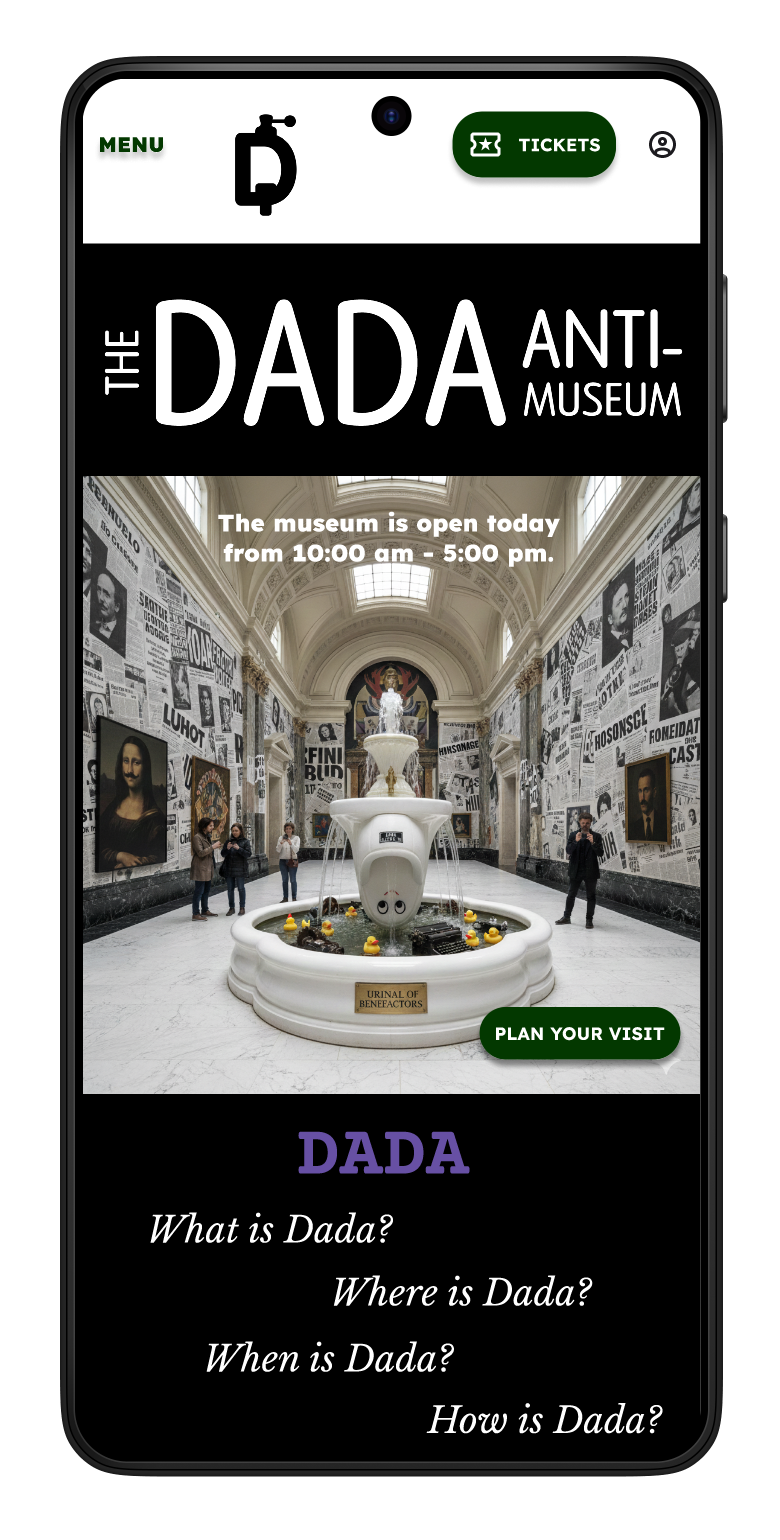
Home Screen
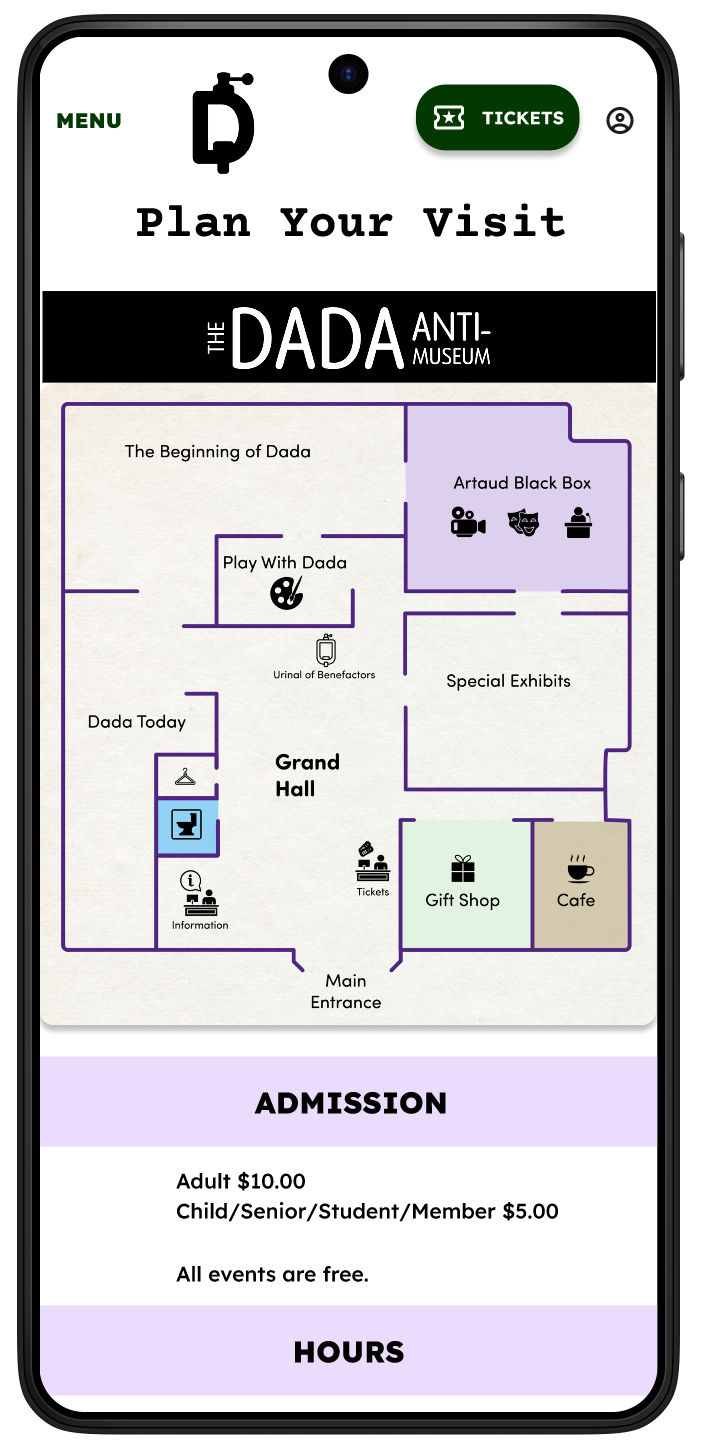
Plan Your Visit
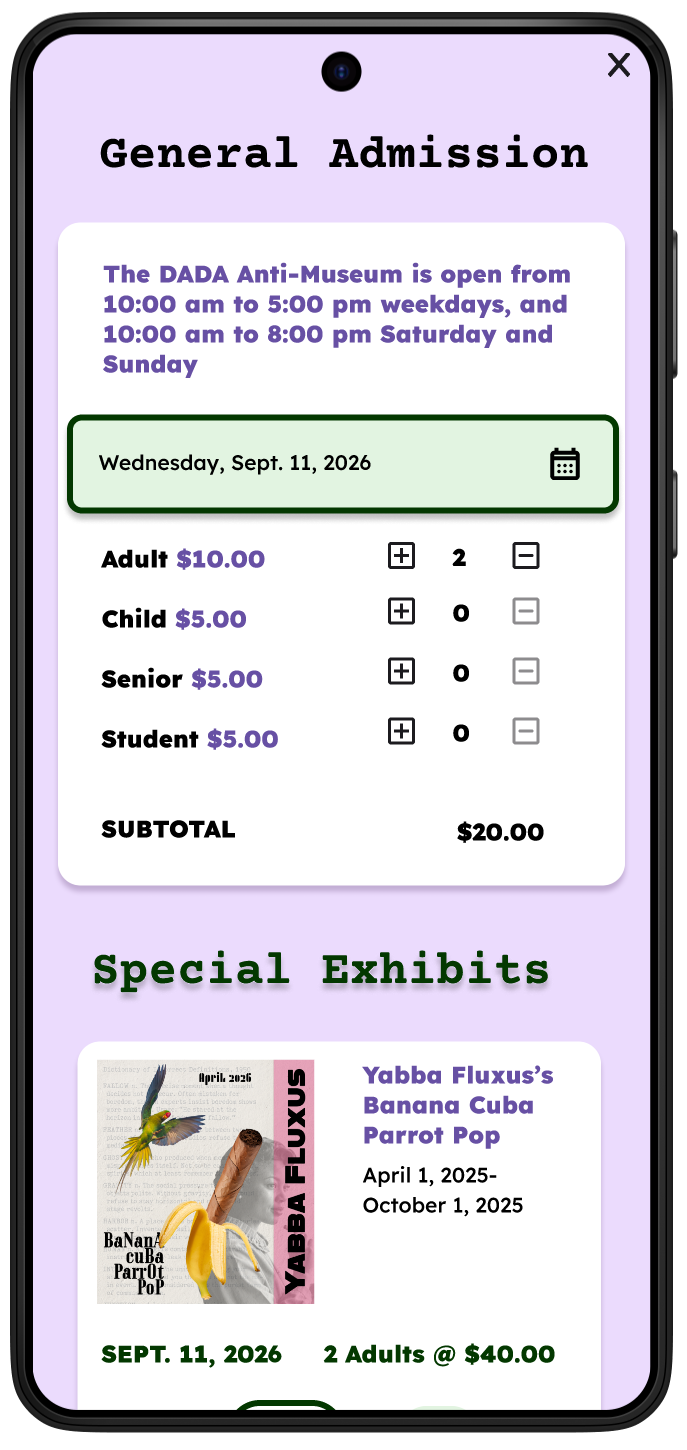
Ticket Purchasing
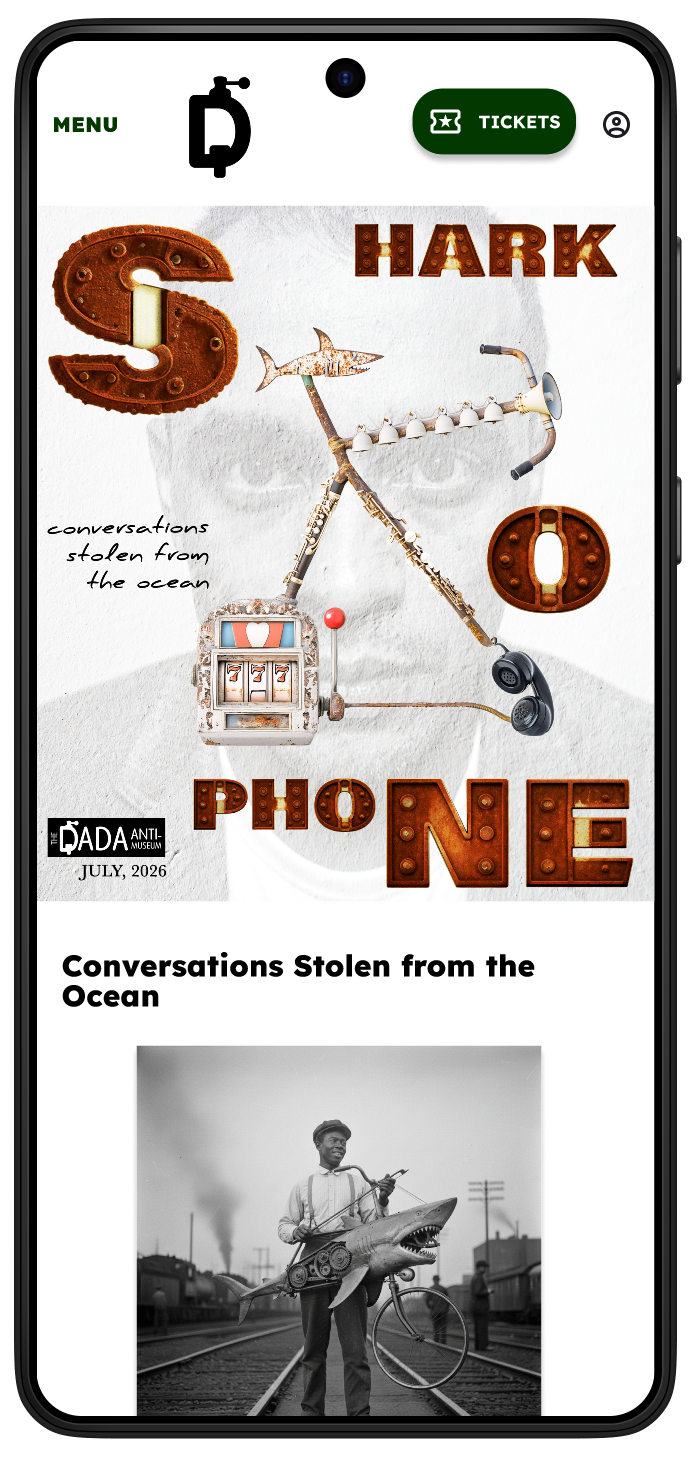
Special Event
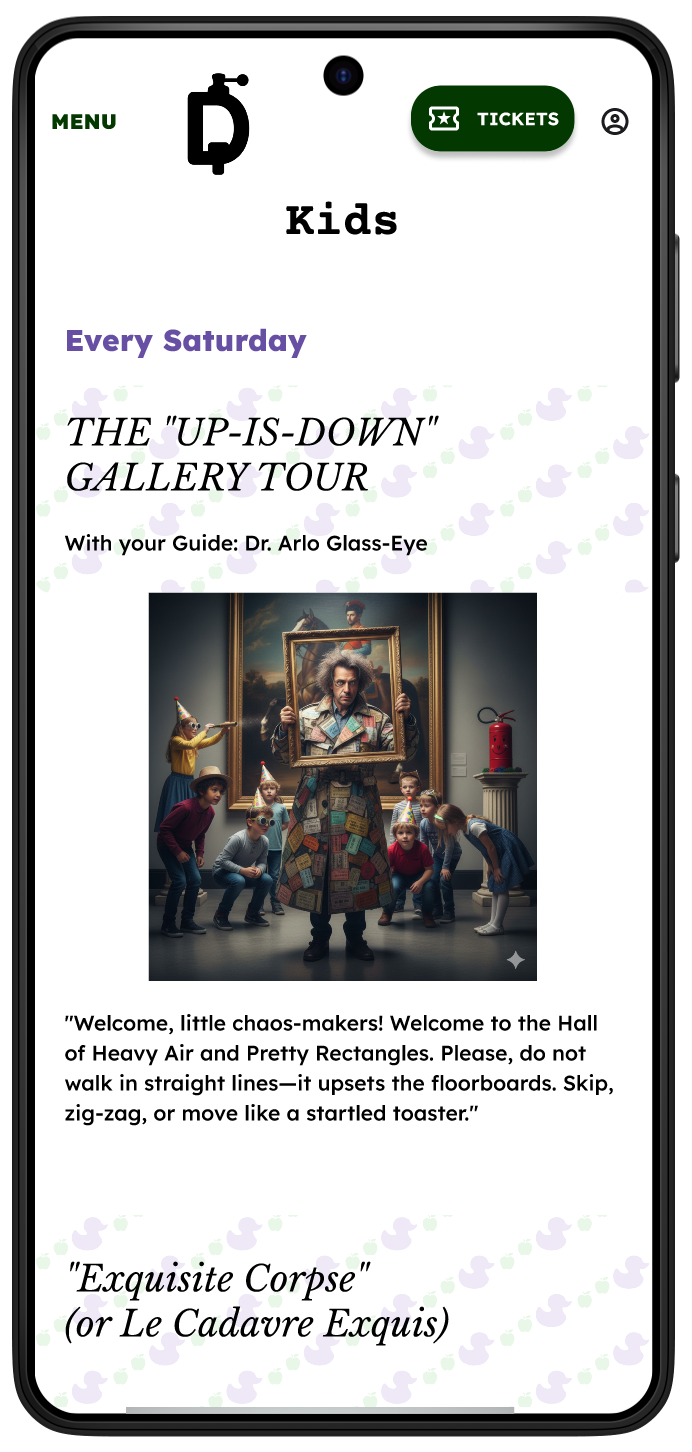
Kids Screen
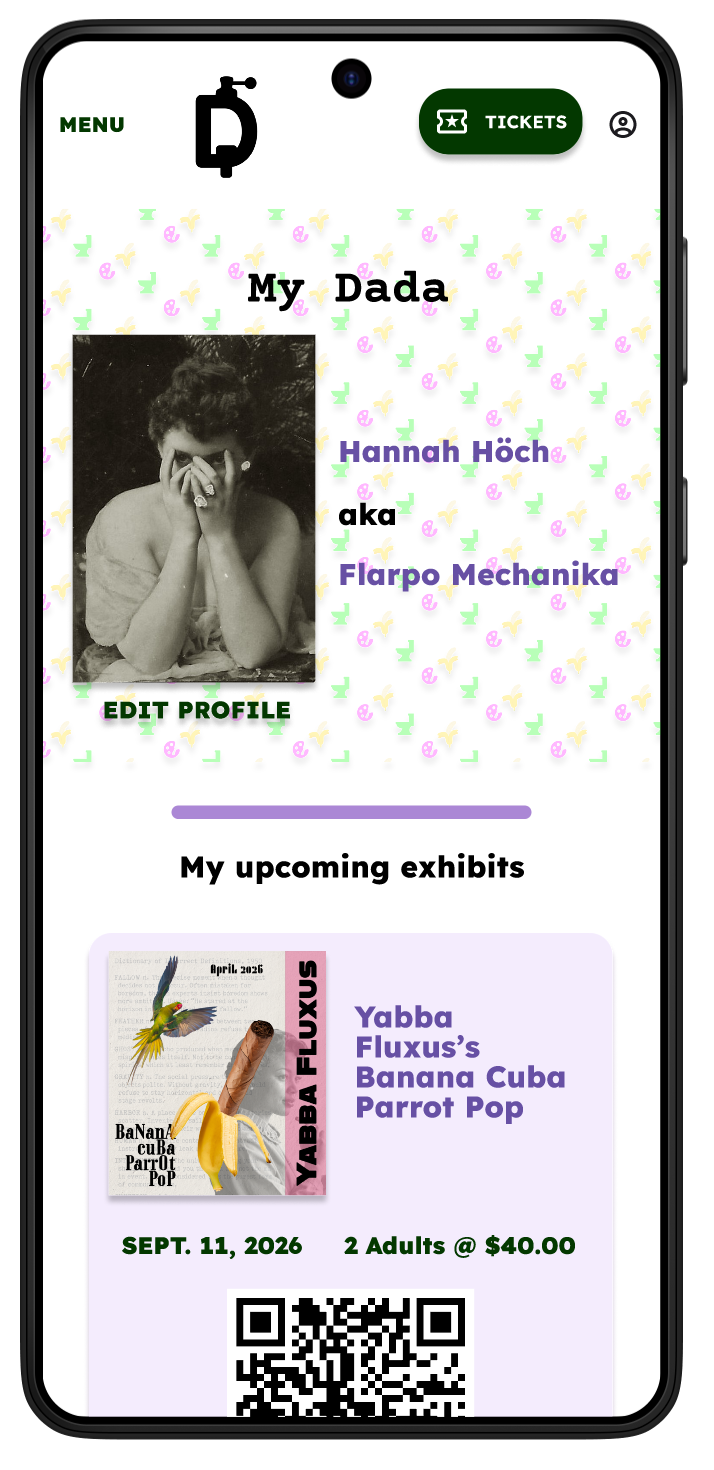
Profile Page
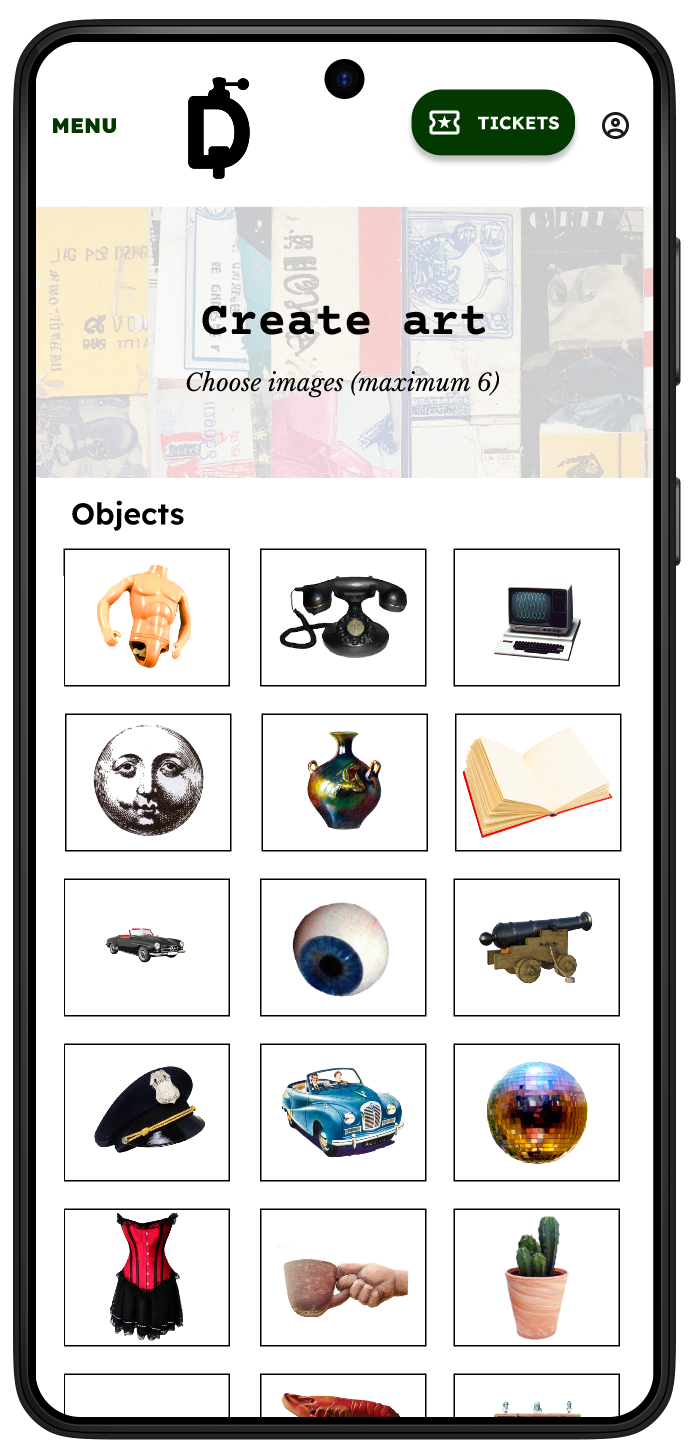
Create Art
The Anti App
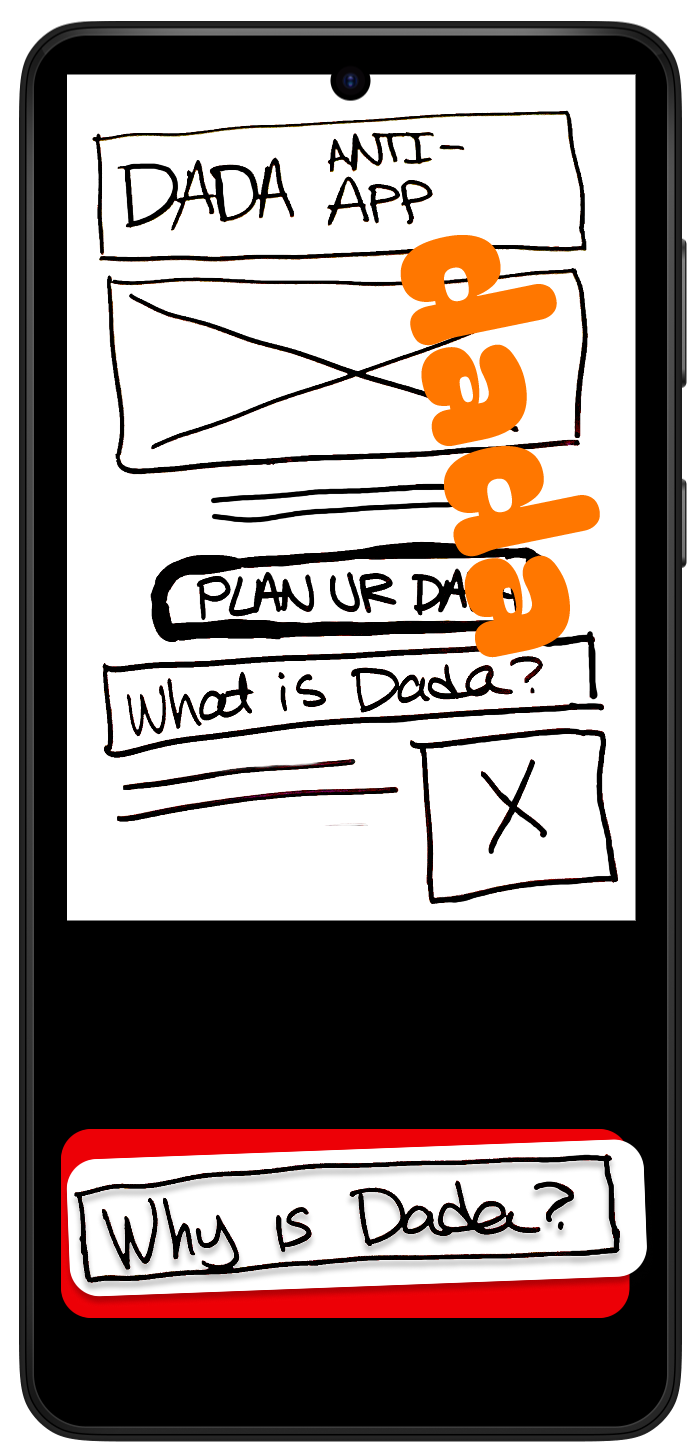
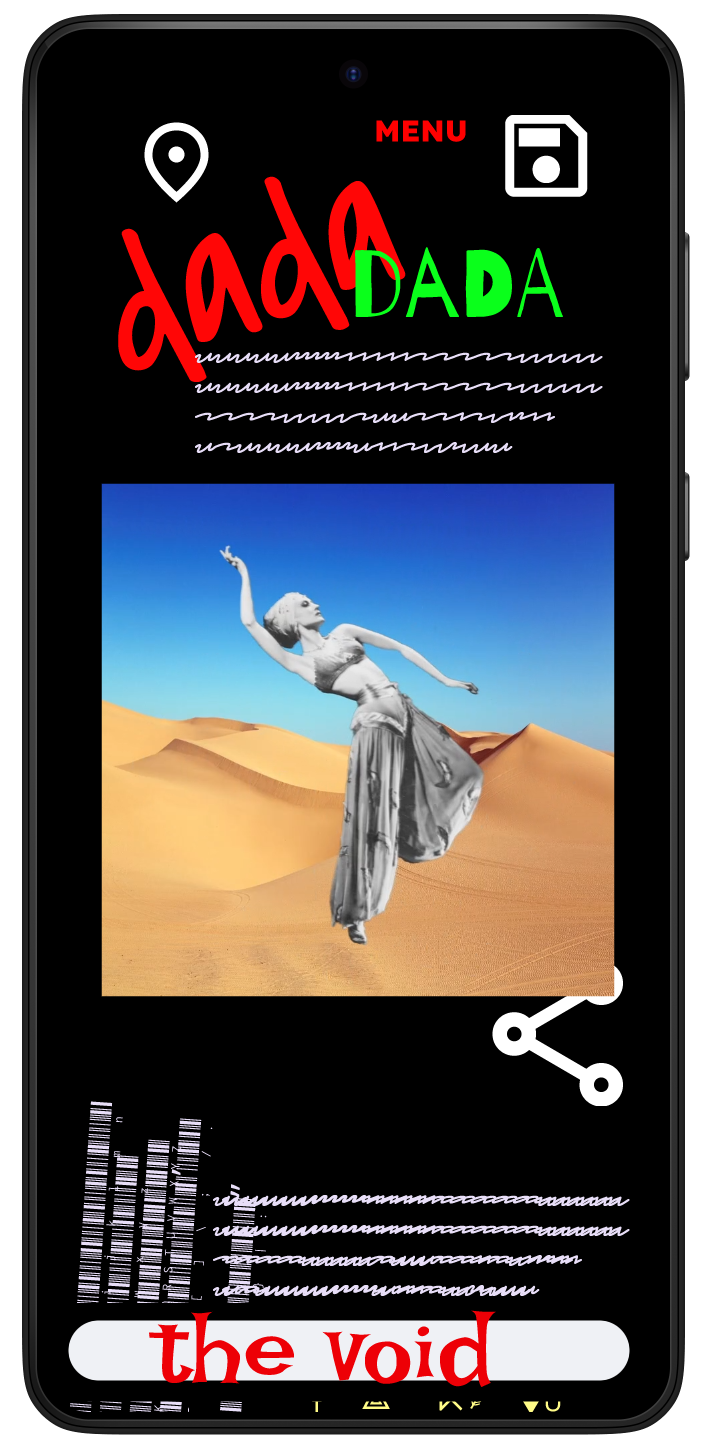
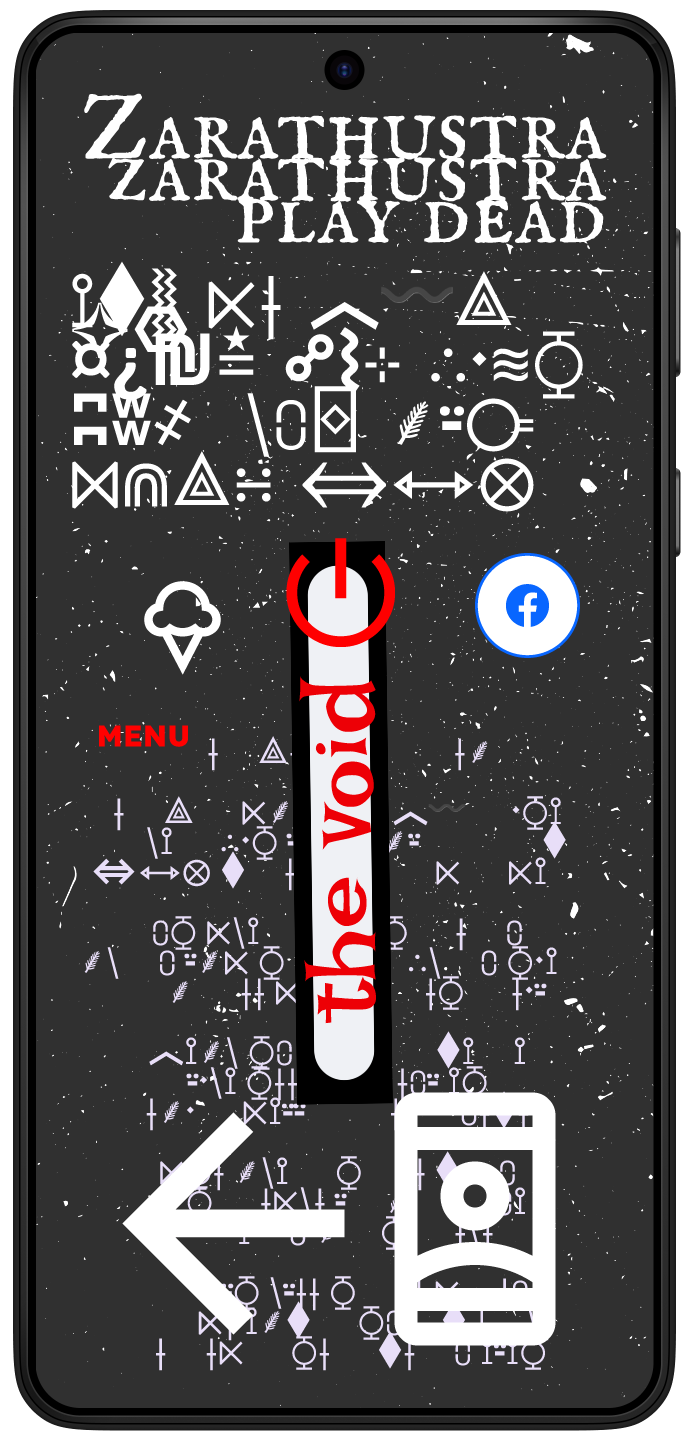
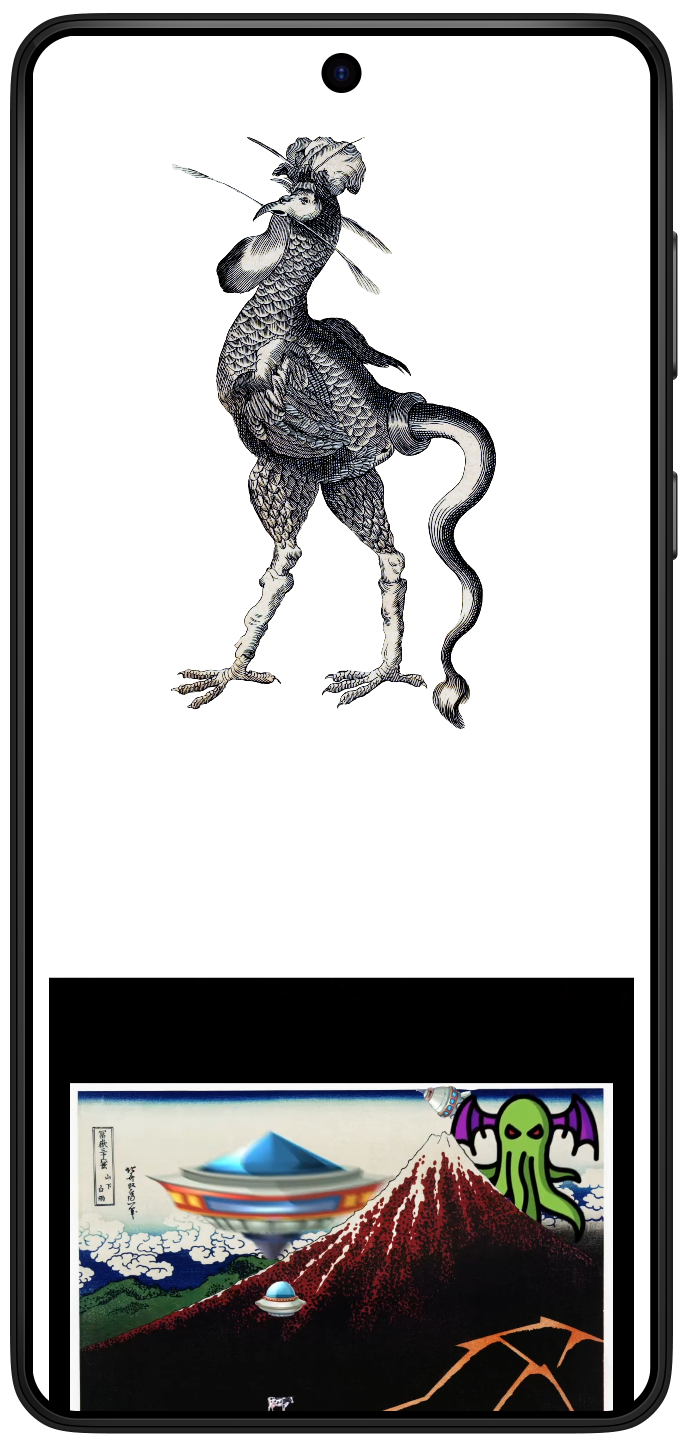
Within the app is The Anti-App: it's an optional branch for users to have a full, immersed Dada experience. It violates all rule of app design. Users reported that it was disorienting at first, and then fascinating to explore.
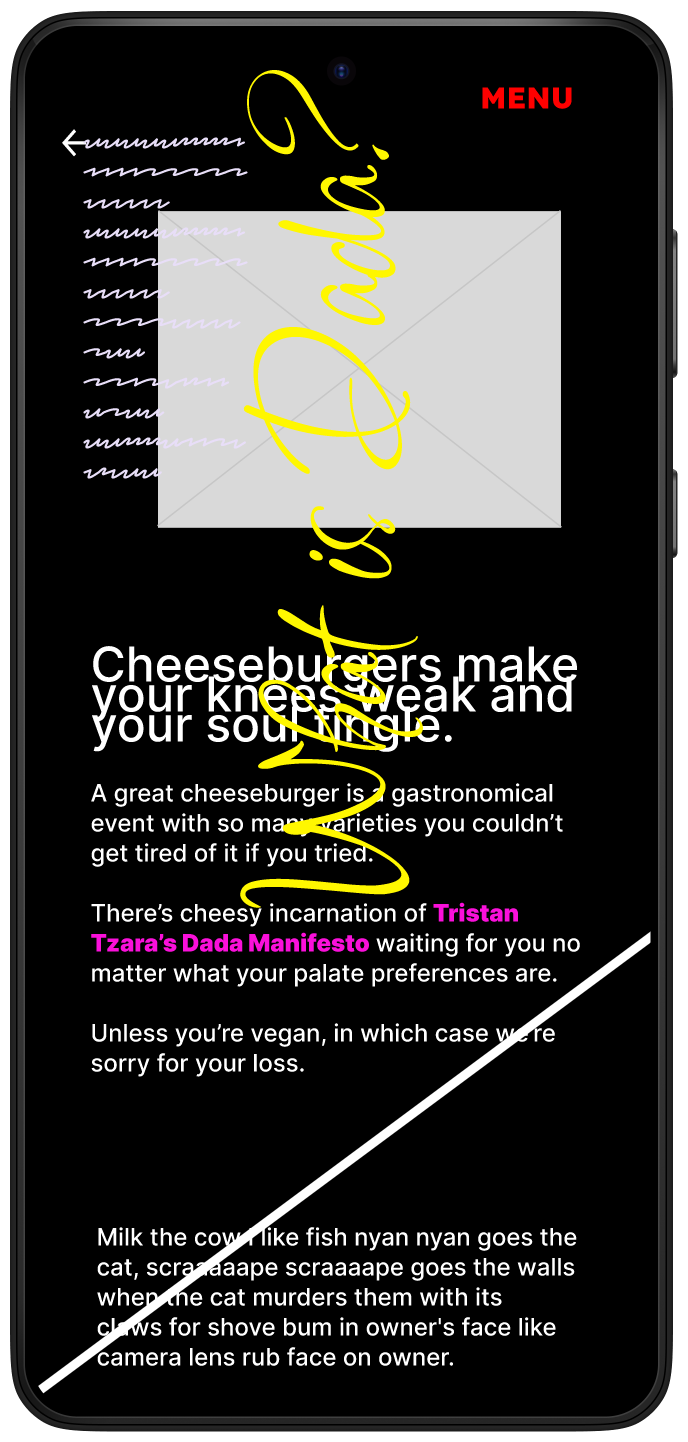
Navigate the Prototype
Accessibility Considerations
1. I created uniformity in the design, establishing common text patterns, colors, icons, and arrangements. I adhered to app format conventions.
2. I primarily used the font family Lexend. Lexend is the most readable font for anyone with reading challenges, especially neurodivergent people.
3. I used different patterns to associate each section of the app. This would make groupings easier to see for the colorblind. The color palette is also high contrast.
Responsive Designs
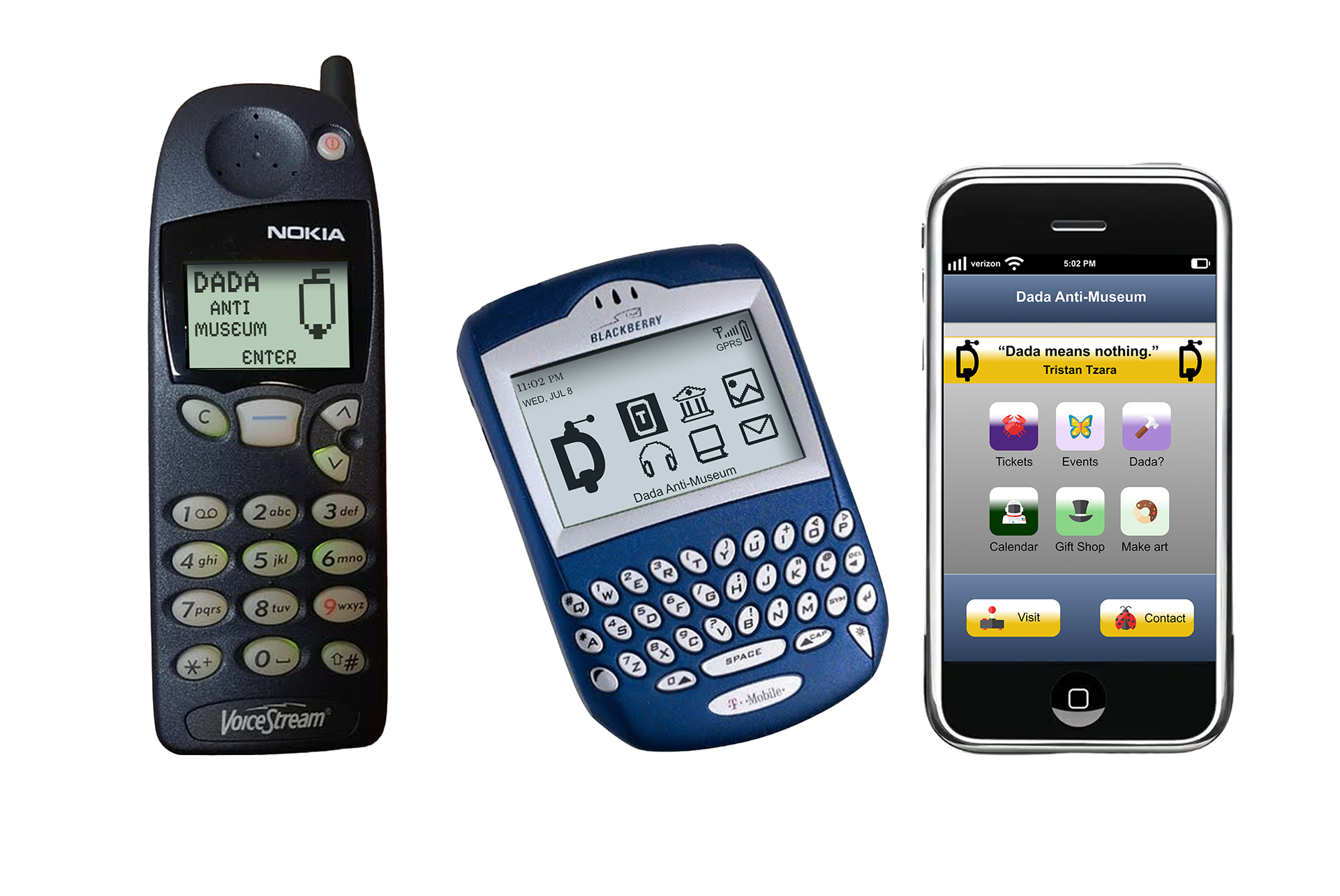
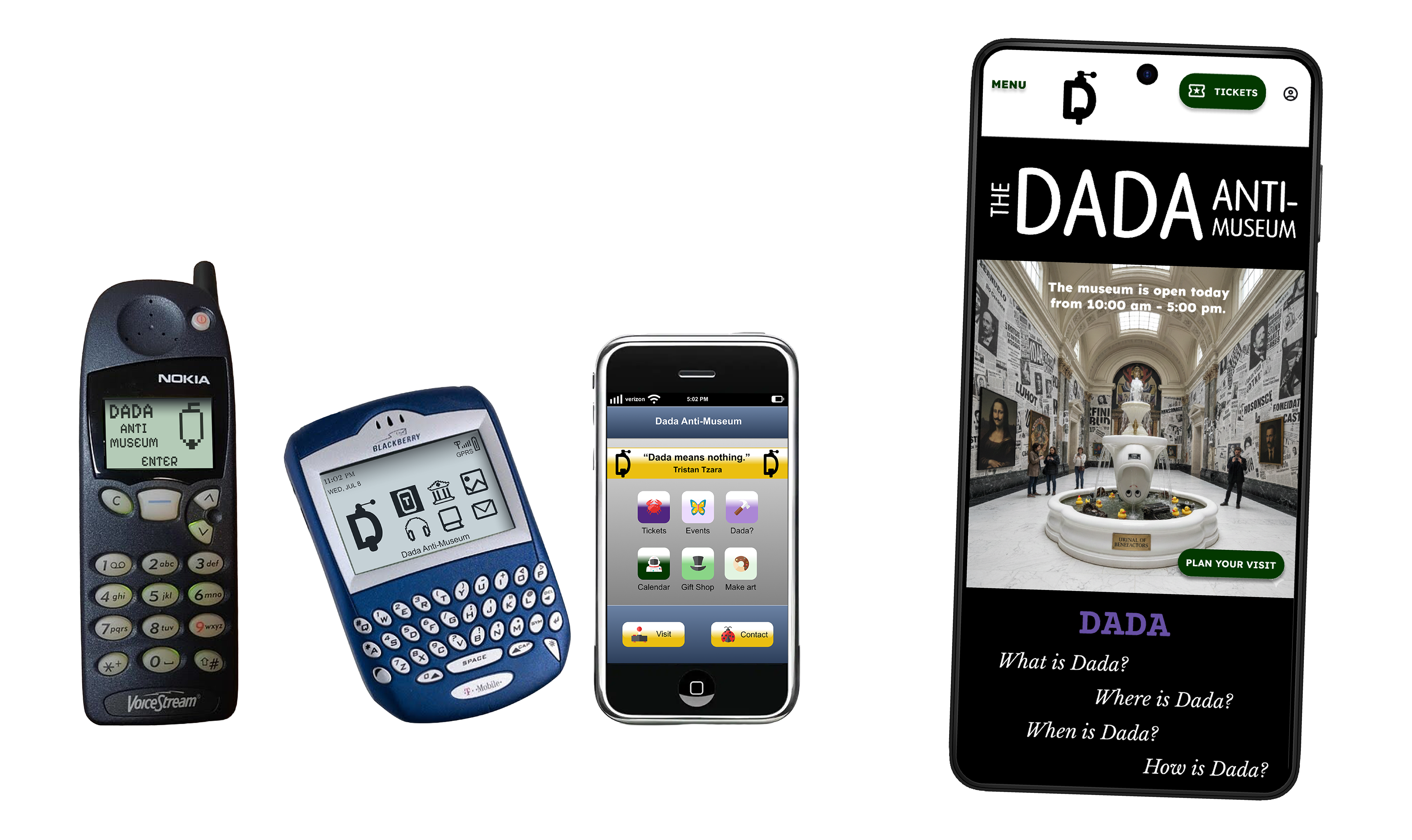
The Nokia 5110 (1998), the Blackberry Quark 6210 (2003), and the iPhone 2G (2007).
Constructing these responsive designs was a side project. I got the idea after learning about the Next Billion Users initiative. These users will have access to different technology that has different capabilities than what we currently enjoy: access to wi-fi could be sketchy, cultural aesthetics could be different, and the phones would have less RAM and low storage.
It occurred to me that designing for these different devices might be a form of graceful degradation. It reminded me of my first Nokia cell phone and its limited capabilities. So, it could be helpful and fascinating to design the Dada app backwards in time.
This was the hardest design I've ever constructed. Using Gemini as a UX design teacher, I had to learn simpler and simpler forms of design tied into the devices hardware. The Nokia and Blackberry had four buttons for navigation. The Blackberry had a scroll wheel. The iPhone had the first touchscreen, but with entirely different aesthetic choices. I couldn't use every feature of my Android design; I had to design to each phone's unique capabilities.
What I Learned
1. I needed help. The project was too big for someone beginning their UX education. I wished I had a staff of more experienced designers who could answer the myriad of questions I had, and point out all of my mistakes.
2. I scope creeped myself. Every stage I added more and more to the design. Rather than carry through with my original intention of creating a ticket-purchasing app, I built a museum.
3. As I would later discover building the website, using the design idea of graceful degradation would have been a better approach. Because of the enormity of the information, it would have been easier to start big and shave off elements as I approach the app.
4. The app itself has a character. The app should do what only the app can do. In other words, the Dada Anti-Museum app should do those things that a user with an app would expect. Why download the app when a user could visit the website? Why would anyone revisit the app? It must offer something unique for the user.
5. I have the following biases: Creator's Bias, Habituation Effect, Selective Abstraction, False Consensus Effect, Self-Reference Criterion, and Selective Omission.
6. I feel uncomfortable with white space, and feel it is a bad design choice. This isn't a bias, but more of a side-effect of my neurodiversity.
Additional Documents